
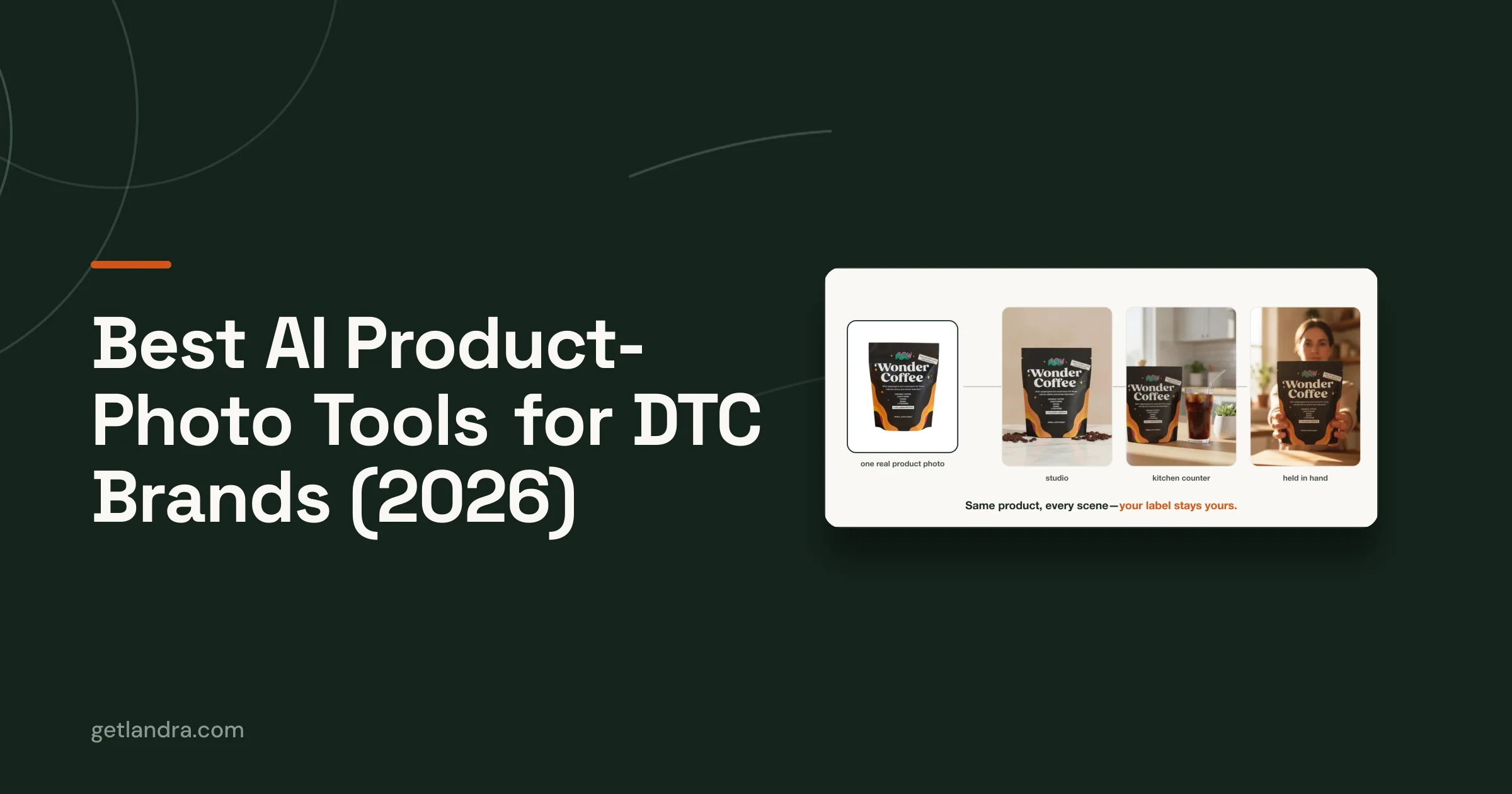
Search "best AI image generator" and you'll get the same five general-purpose tools every roundup names, all built for artists and concepts, ranked on how beautiful the output looks. None of that is the right test for a DTC brand. On a product page, a stunning image of a slightly-wrong bottle is worthless; a plain image of the right bottle converts. So this roundup ranks the tools that actually matter for ecommerce on the axis that actually matters: how well each one keeps your product your product.
Below are the tools worth using for DTC product photography in 2026, what each is genuinely best for, and verified pricing as of June 2026. If you want the technique that makes any of them work, read how to make high-quality AI product photos first; the tool is the easy part.
What to judge an AI product-photo tool on
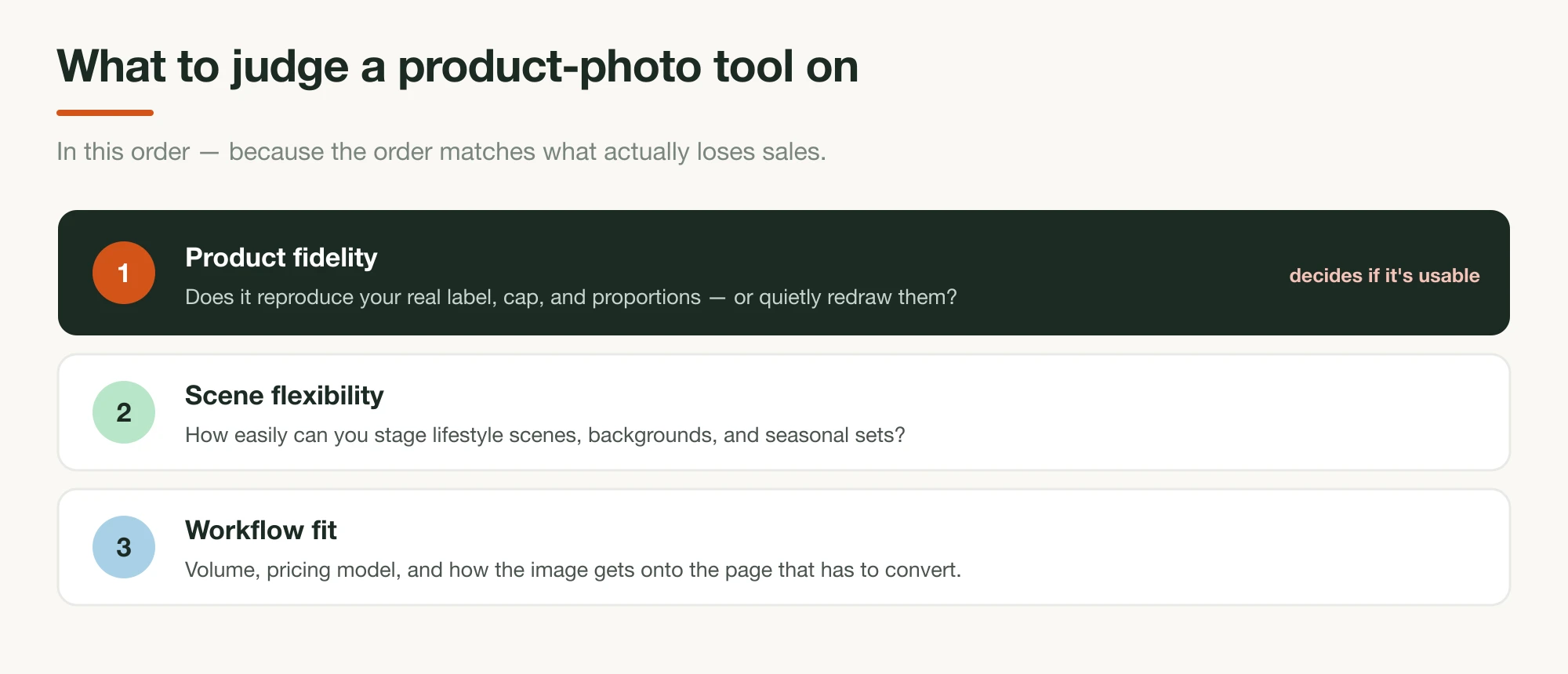
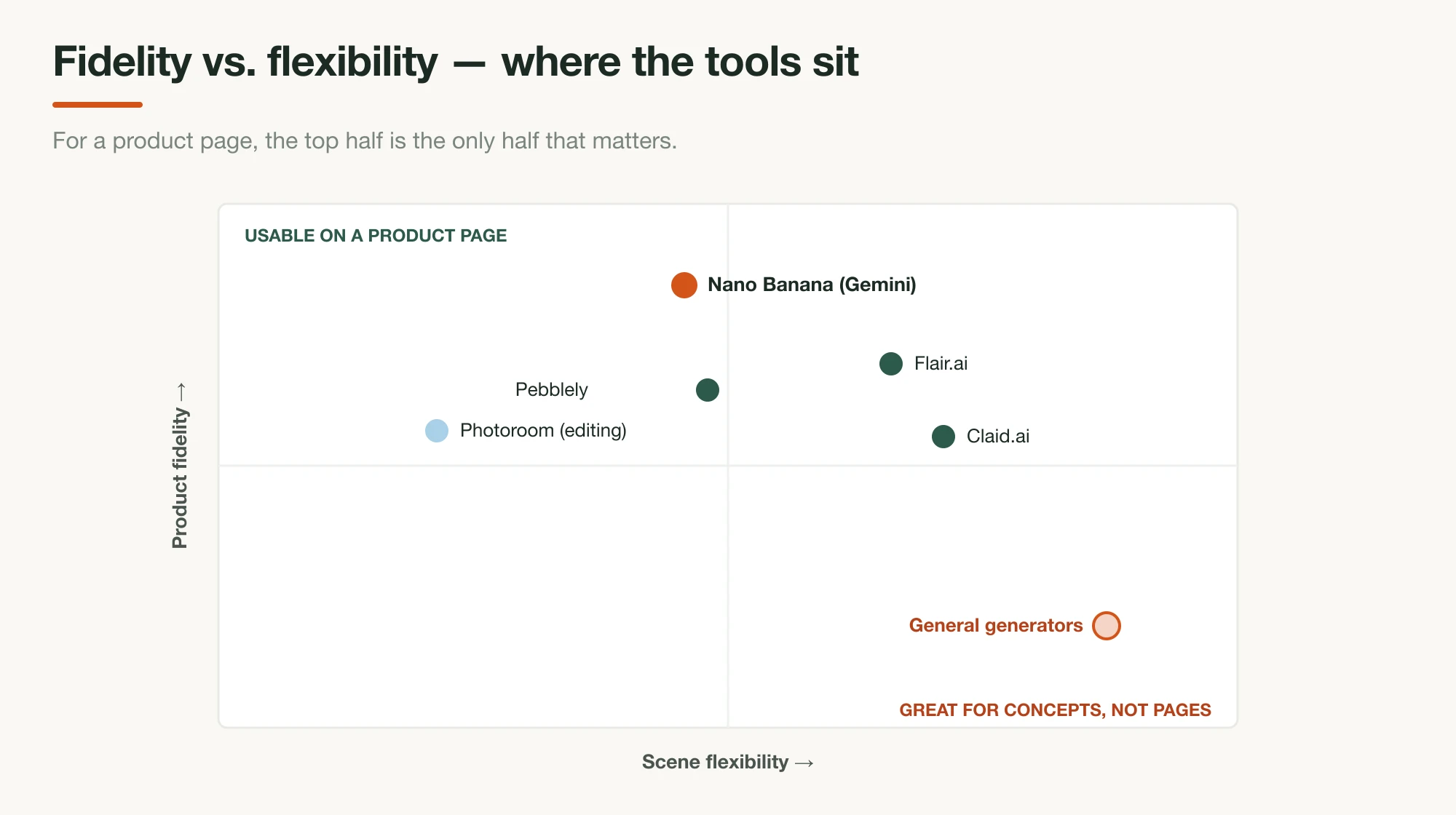
Judge these tools on product fidelity first, scene flexibility second, and workflow fit third — in that order, because the order matches what actually loses sales. Fidelity is whether the tool reproduces your real product (label text, logo, cap, proportions) or quietly redraws it. It's the one criterion the generic "best AI image" roundups skip entirely, and it's the one that decides whether an image is usable on a page a customer will zoom in on.
The mechanism behind fidelity is the reference image: you give the tool a clear photo of the real product, and a fidelity-focused model restyles that across new scenes instead of inventing one from text. Tools built around this keep your product steady; tools built for text-to-image creativity don't. After fidelity, the practical questions are how easily you can stage scenes, whether it handles your volume, and whether it fits the rest of your workflow — including the part where the image has to end up on a page.
The best AI product-photo tools for DTC brands
1. Google Gemini ("Nano Banana"): best for product fidelity
Nano Banana is the strongest choice when your product has to stay exactly right, because it's built around reference-image fidelity. "Nano Banana" is Google's name for Gemini's native image models, and the top tier — Nano Banana Pro — maintains the fidelity of up to fourteen objects in a single workflow. In practice that means you upload real photos of your product and generate lifestyle scenes where the bottle, label, and packaging stay yours.
It's also the cheapest way in if you're comfortable with an API: pricing runs about $0.039 per image on the base model up to roughly $0.24 for high-resolution Pro output, so a fully illustrated page costs a couple of dollars. The trade-off is that the raw API isn't a point-and-click editor — you're either prompting in Google AI Studio or wiring up the API. For the model mechanics in depth, see our AI-generated advertorial guide.
- Best for: keeping your real product accurate across generated scenes.
- Pricing: usage-based API, ~$0.039–$0.24 per image (June 2026).
2. Pebblely: best for easy lifestyle backgrounds
Pebblely is the simplest way to drop your product into varied lifestyle scenes without prompting expertise. You upload a product photo, and it generates backgrounds and styled scenes around it — the workflow is built for ecommerce sellers, not prompt engineers, so it's the fastest path from "flat catalog shot" to "lifestyle set" for someone who doesn't want to learn an image model.
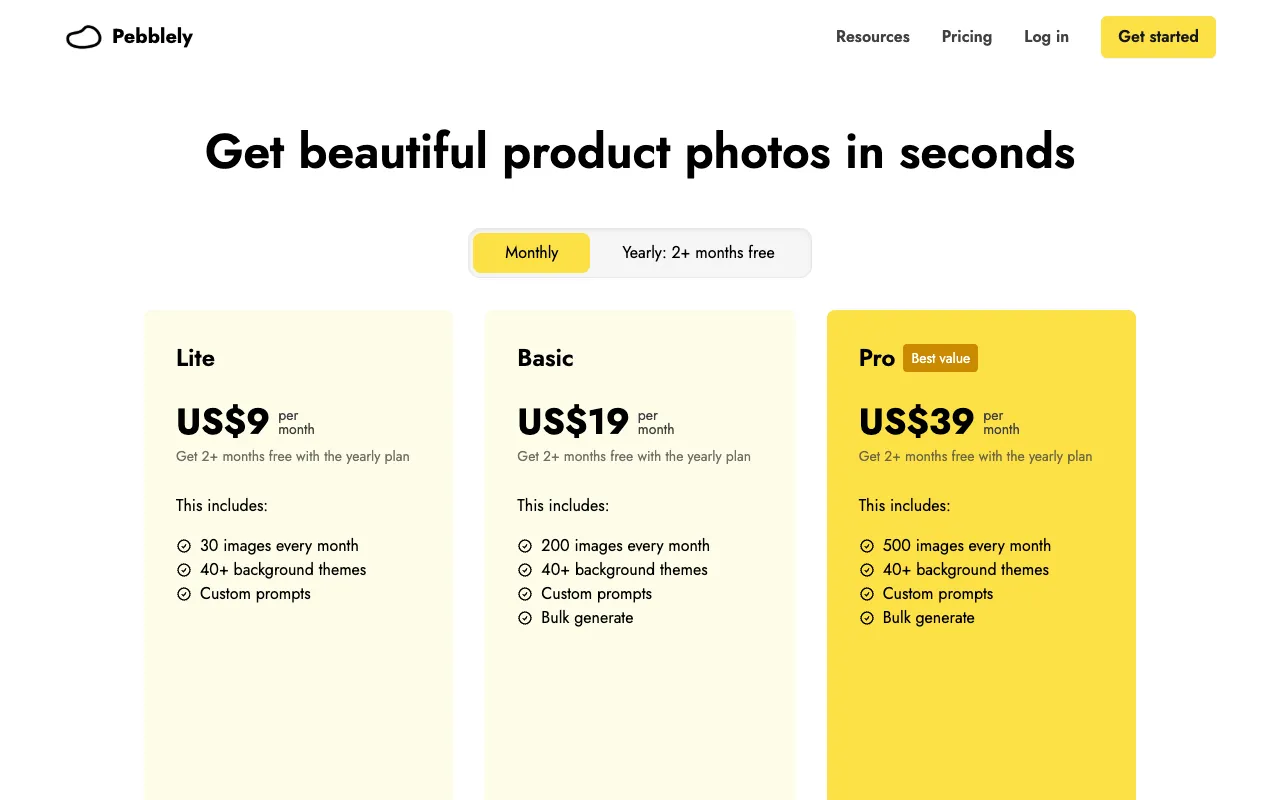
Pricing is transparent and volume-based: per Pebblely's pricing page, it's $9/month for 30 images, $19/month for 200, and $39/month for 500, with annual plans adding a couple of free months. That per-image volume model makes it easy to size to a catalog.
- Best for: non-technical lifestyle scene generation at predictable volume.
- Pricing: $9 / $19 / $39 per month by image count.
3. Flair.ai: best for art-directed product scenes
Flair.ai is the pick when you want more control over composition than a one-click tool gives you. It's a design-led product-photography canvas — you arrange your product, backdrops, and props on a board and direct the scene, which lands between Pebblely's simplicity and a full image model's flexibility. For brands with a specific aesthetic to hit, that control is the draw.
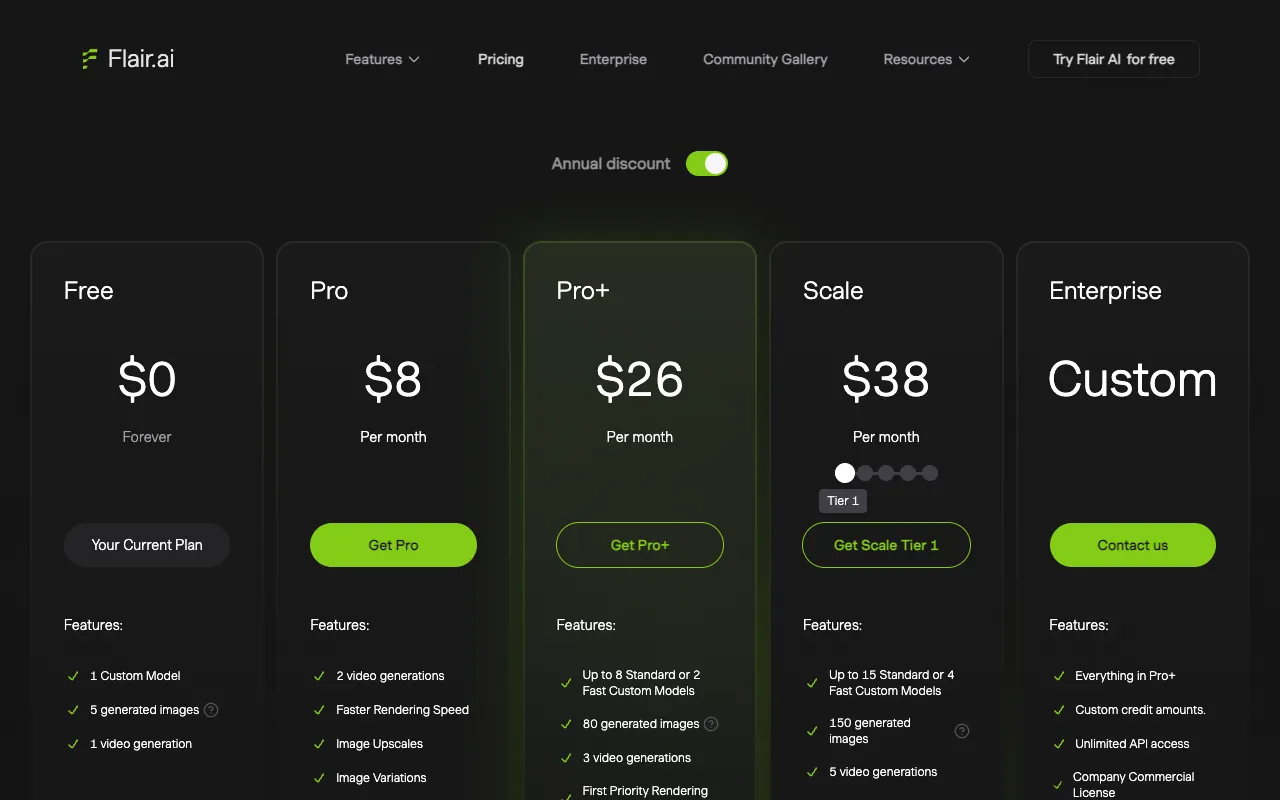
It also has the most generous entry point of the dedicated tools: per Flair's pricing, there's a free "$0 forever" tier, then Pro at $8/month, Pro+ at $26/month, and a Scale tier at $38/month. The free tier is genuinely useful for testing whether the staging workflow fits how you work.
- Best for: art-directed staging where you want to compose the scene.
- Pricing: free; then $8 / $26 / $38 per month.
4. Photoroom: best for fast background editing at scale
Photoroom is less a scene generator and more the fastest editor for cleaning up and restyling product shots in bulk. Background removal, batch processing, and quick AI backgrounds are its strengths — it's the tool you reach for when you have real photos that need to become clean, consistent catalog images fast, especially from a phone.
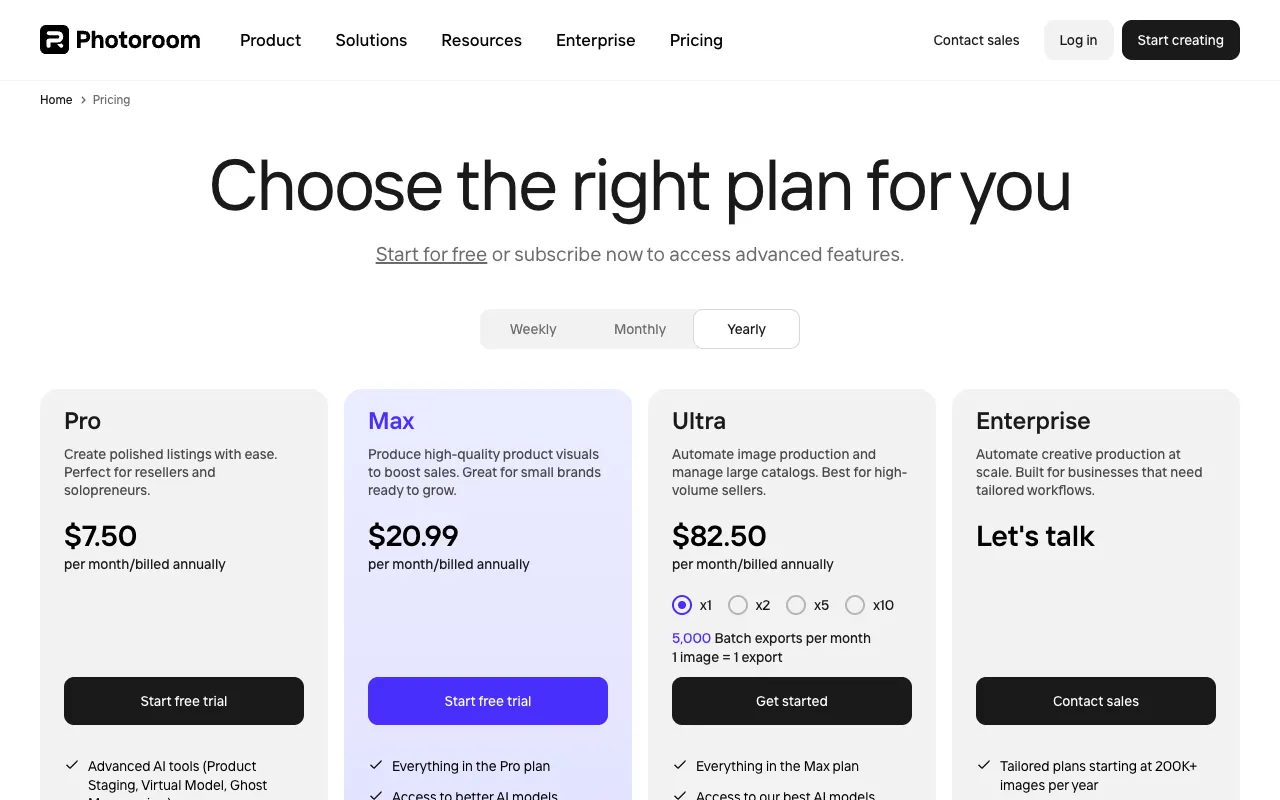
Photoroom's pricing page starts free (250 exports per month), then runs Pro at $7.50/month, Max at $20.99, and Ultra at $82.50 — all billed annually, as of June 2026 — with higher monthly-billing rates. For most brands the free tier covers a surprising amount of editing volume.
- Best for: fast background removal and batch catalog cleanup.
- Pricing: free tier (250 exports/month); paid from $7.50/month (billed annually).
5. Claid.ai: best for high-volume catalogs
Claid.ai is built for brands generating product imagery at catalog scale rather than one page at a time. Its feature set leans toward bulk enhancement, background generation, and AI model shots for apparel — the things a brand with hundreds of SKUs needs to keep consistent. If your bottleneck is volume and consistency across a large catalog, it's purpose-built for that.
Claid's pricing page shows a free trial and tiered plans (Essentials, Pro, Business) but doesn't publish the dollar amounts on the page itself, so request current pricing before planning a budget around it.
- Best for: consistent imagery across a large catalog.
- Pricing: free trial; tiered paid plans (pricing on request).
Why general generators (Midjourney, Ideogram) don't make the list
It's worth saying plainly why the tools every other roundup leads with (Midjourney, Ideogram, and the like) aren't on the ranked list above. They make genuinely beautiful images and they're excellent for concepts, moodboards, and ad-creative ideation. But they're text-to-image generators at heart: pointed at your product, they tend to redraw it rather than reproduce it, so the label drifts and the packaging changes. For a moodboard that's fine. For the hero image on a product page, where a shopper zooms in to read the label, it's the exact failure that erodes trust. Use them for ideas; use a fidelity-focused tool for the page.
Comparison: the tools at a glance
| Tool | Best for | Pricing (June 2026) |
|---|---|---|
| Google Gemini (Nano Banana) | Product fidelity (reference) | ~$0.039–$0.24 / image (API) |
| Pebblely | Easy lifestyle backgrounds | $9 / $19 / $39 per month |
| Flair.ai | Art-directed staging | Free; $8 / $26 / $38 per month |
| Photoroom | Fast background editing at scale | Free (250/mo); from $7.50/mo (annual) |
| Claid.ai | High-volume catalogs | Free trial; paid (pricing on request) |
| Landra | Images and the page they live on | 14-day free trial; from $19/month |
Where Landra fits: the photos and the page together
Every tool above shares one boundary: it hands you images, not a page. You still have to choose the right shots, size them, write the copy around them, and assemble it into a layout built for cold traffic — which is where most of the conversion is actually won or lost. That's the gap Landra is built to close.
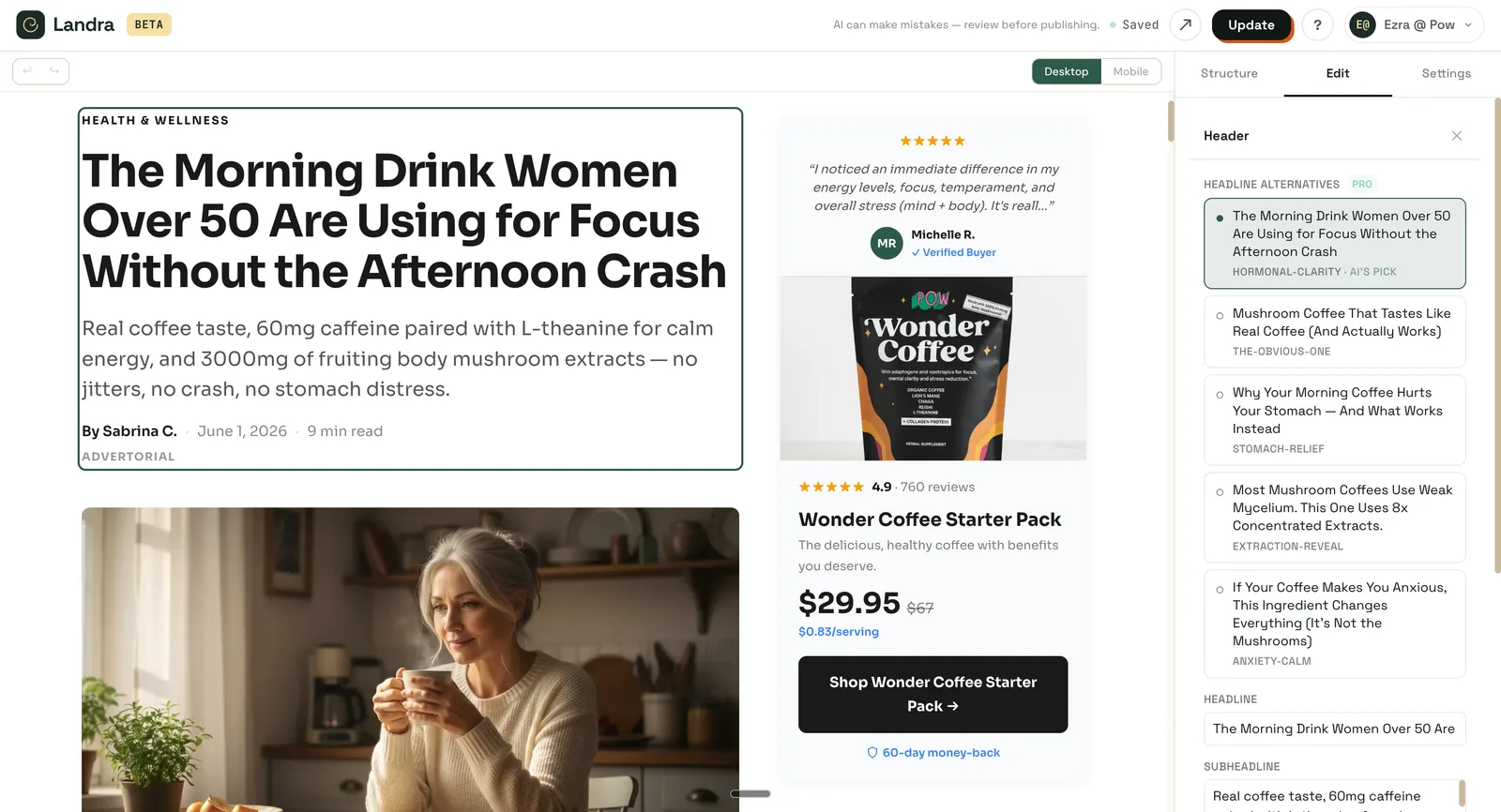
Landra isn't a product-photo tool you bolt onto a page builder. It generates the product images and the conversion-optimized page they live on, in one pass. Give it your brand URL and the audience you're targeting, and it reads your product and customer voice, writes the advertorial or listicle, generates audience-tuned images, lays everything out in proprietary DTC components built to convert, and publishes straight to your Shopify domain (or a Landra URL, or clean HTML export), mobile-responsive out of the box, with a click-anything editor for refinements. The real choice here isn't which image tool to add to your stack; it's whether you want a folder of photos to assemble yourself, or the finished page built for you.
How to choose
Pick by your actual bottleneck, not by which tool makes the prettiest demo. If your products must stay pixel-accurate, start with Nano Banana for fidelity. If you want lifestyle scenes without learning an image model, Pebblely or Flair.ai. If you're cleaning up real photos in bulk, Photoroom. If you're managing a large catalog, Claid.ai. Reach for the general generators only for concepts, never for the final product shot.
And if the real job isn't "make images" but "ship a page that converts cold traffic," the image tool was never the whole answer. See how to make high-quality AI product photos for the craft, the best AI landing page builders for where those images go, or let Landra do both at once.
Frequently asked questions
What is the best AI tool for product photography?
It depends on the job. For keeping your real product accurate across scenes, Google's Nano Banana (Gemini) leads on reference fidelity. For easy lifestyle backgrounds, Pebblely and Flair.ai are the simplest. For fast background removal and batch editing, Photoroom. For high-volume catalogs, Claid.ai. Choose by your bottleneck — fidelity, scene styling, editing speed, or volume.
How much do AI product-photo tools cost?
As of June 2026: Pebblely runs $9–$39/month by image volume; Flair.ai is free up to a limit, then $8–$38/month; Photoroom has a free tier (250 exports/month) with paid plans above it; and Google's Gemini image API is usage-based at roughly $0.039–$0.24 per image. Most are far cheaper than a single studio shoot.
Can I use Midjourney for product photos?
You can, but with a caveat: Midjourney produces beautiful images and is excellent for concepts and moodboards, but it is not built for reference fidelity — it tends to redraw your product rather than reproduce it. For a product page where the label and packaging must be exactly right, a fidelity-focused tool like Nano Banana is the safer choice.
Do AI product-photo tools work for Shopify stores?
Yes. Most export standard image files you can upload to any Shopify product or page, and several integrate directly. The gap they share is that they produce images, not pages — you still place them yourself. A page generator like Landra closes that gap by generating the images and building the Shopify-ready landing page around them in one pass.
Are free AI product-photo tools good enough for DTC?
Free tiers are good for testing and low volume. Flair.ai and Photoroom both have usable free tiers, and Gemini's per-image API cost is low enough to feel nearly free for a single page. The constraint at scale isn't price — it's fidelity and the time spent rejecting variations where your product came out wrong.