
The most popular advice about finding an example of a Google ad is to swipe the copy. Screenshot a competitor's headline, swap in your product name, launch it. That advice fails for a simple reason: a headline that wins in a supplement account often loses in skincare, and neither result tells you anything about your own account, your own offer, or your own post-click page.
Copy is the visible layer. Underneath sit the decisions that determine whether an ad makes money: which format you picked, what that format is structurally allowed to test, and whether the page after the click can carry the promise the ad just made.
The scale makes this worth getting right. Google advertising revenue reached about $264.59 billion in 2024, roughly 75.6% of Alphabet's total revenue of $350.02 billion, according to Alphabet's 2024 annual report. At that volume, small gaps in click-through and conversion efficiency compound across a media budget quickly.
Each of the eight formats below gets a short strategic breakdown: what it's really testing, where it leaks spend, and one replicable tactic tied to landing-page alignment. For a wider gallery across channels, Boocoo's paid advertising examples are worth studying alongside these. A comparison table at the end lines the eight up by traffic temperature and page readiness.
Table of Contents
- 1. Responsive Search Ads
- 2. Dynamic Search Ads
- 3. Google Shopping Ads
- 4. Performance Max Campaigns
- 5. Demand Gen Campaigns
- 6. YouTube Skippable In-Stream Ads
- 7. Sitelink, Callout, and Structured Snippet Extensions
- 8. Google Ads Destination and Misrepresentation Policies
- Google Ad Formats at a Glance
- Key Takeaways: Picking the Right Example of a Google Ad to Model
1. Responsive Search Ads
Responsive Search Ads are the default text format in Google Search and the one most advertisers mismanage. The instinct is to write 15 headlines that read like one continuous sentence. Google doesn't assemble them that way. An RSA supports up to 15 headlines and 4 descriptions, which the system combines algorithmically, as Google's ad type documentation explains, so every headline has to stand alone as a complete claim.
The auction underneath isn't new either. Google has folded advertiser bids and ad performance into placement decisions since AdWords Select arrived in February 2002, which Clarigital's Google Ads history documents. RSAs hand that system far more raw material to judge.
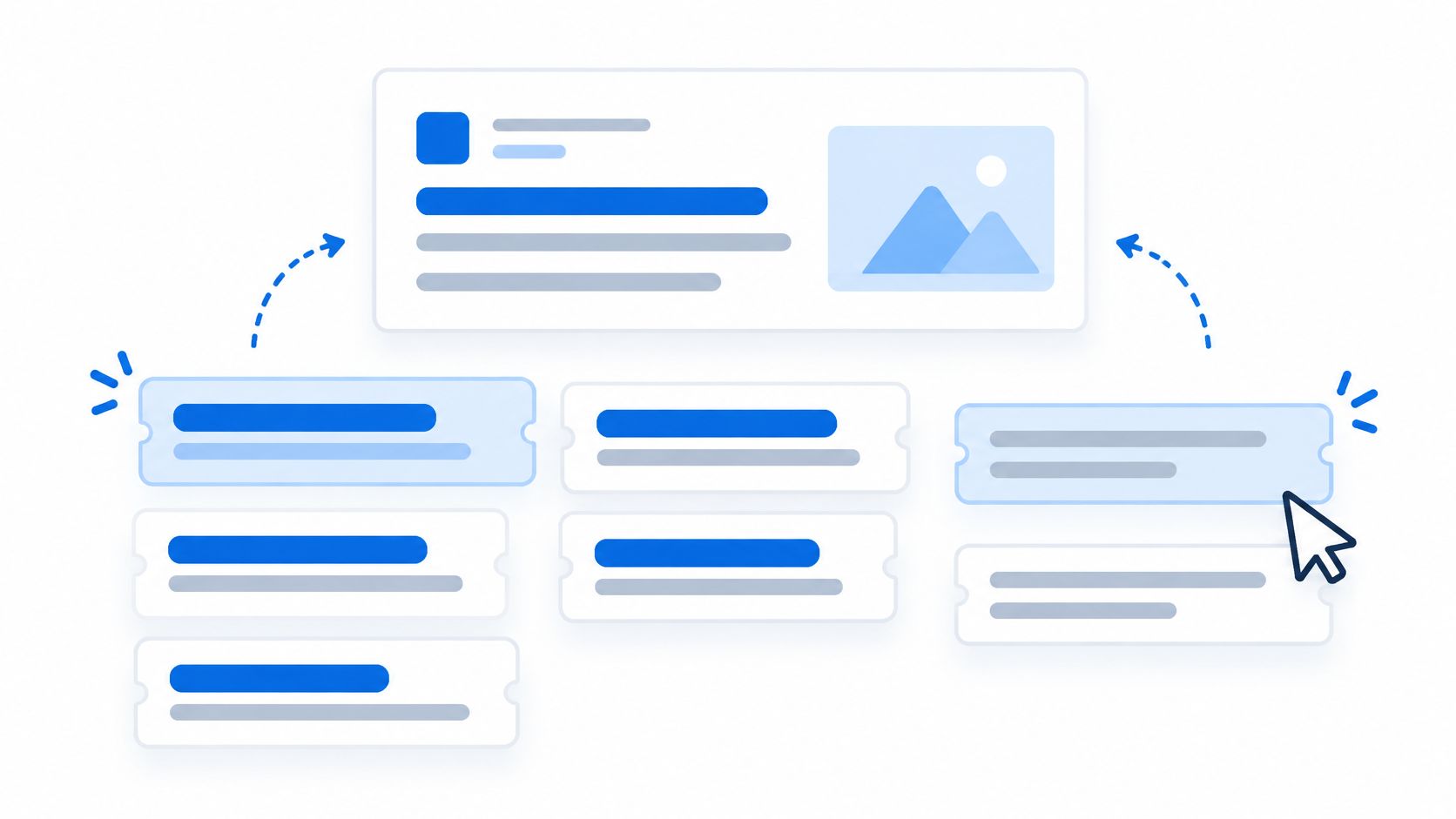
A worked example. A supplement brand pins "Third-Party Tested" into Headline 1 because the claim is the backbone of the offer, then lets the free slots rotate "Free Shipping", "90-Day Money-Back Guarantee" and "No Fillers, No Blends". A skincare brand writes one headline per customer problem (dryness, breakouts, texture) to learn which problem earns the click, not which adjective sounds nicest.
What an RSA is really testing
Message-market fit, query by query. Google runs a live experiment on which promise matches which search, and it needs different messages to run it. Ten variations on "premium quality" teach the system nothing and waste the asset slots.
Spend leaks in two places: pinning every asset so nothing can rotate, and promising something the landing page doesn't repeat within one screen.
Practical rule: pin only claims that must never be reordered, such as a trademarked or regulated line. Leave everything else free.
The proof point comes from tails.com, a UK pet-food subscription company that combined broad match, Smart Bidding and responsive search ads on generic Search campaigns in Germany and lifted sign-ups by 182% and clicks by 258%, as Google's RSA case documentation records. The clicks came from match type and creative range. The sign-ups came from a stable conversion signal after the click.
- Write distinct messages, not synonyms. Each headline should answer a different objection.
- Stay inside 30 characters per headline, 90 per description. Truncation kills otherwise good claims.
- Push toward Excellent ad strength. Eight to ten unique headlines usually gets you there.
- Match ad promise to page opening. If the ad says money-back guarantee, the first screen should too, which is exactly what an advertorial tool for performance marketers is built to enforce.
2. Dynamic Search Ads
Say a furniture retailer has 400 collection pages and no keyword list broad enough to cover them. That's the case Dynamic Search Ads exist for. You tell Google which pages or page groups to use, and it generates headlines and final URLs from your site content, matching queries to the closest relevant page.
The format doesn't write copy. It lifts page titles and body text and treats them as the ad. That makes your site architecture the media plan.
What DSA is really testing
Whether the words on your pages match the words buyers type. A DSA campaign pointed at a category page that says "Bedroom" will struggle against a query for "small space storage bed frame". The matching is only as good as the vocabulary it reads.
Where it leaks spend: low-intent pages, careers and policy pages, and blog posts that pick up commercial queries and send buyers to content that never mentions a product.
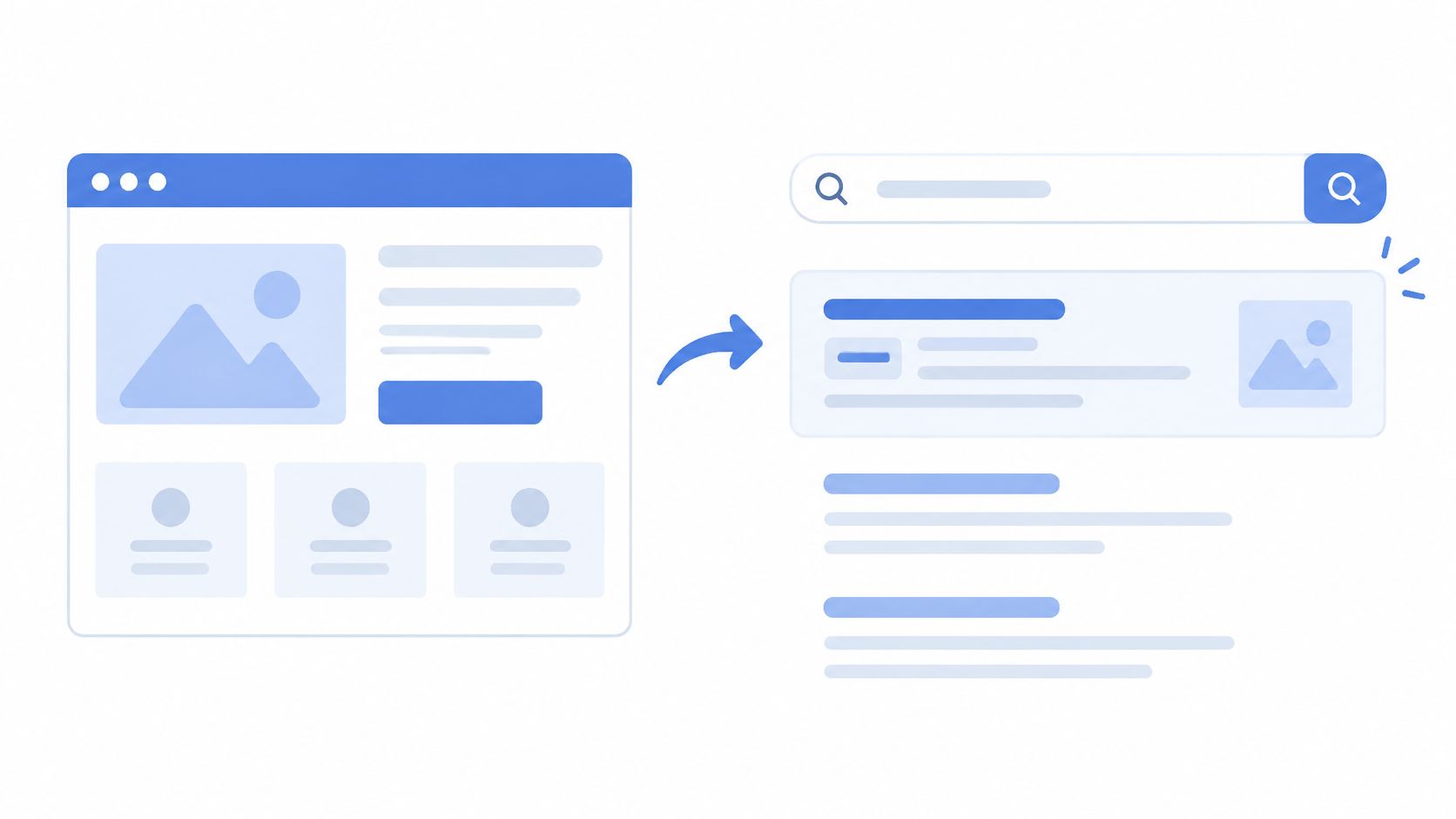
A DTC brand can use the same mechanic deliberately by pointing DSA at a set of advertorial pages written around a problem the product solves. Google then matches long-tail problem queries to pages built to answer them, and the page title becomes the headline.
Query behavior is shifting in DSA's favour. Google expanded ads in AI Overviews to desktop and additional countries during 2025 and is testing ads in AI Mode in the United States, per Google's Ads in AI Overviews documentation. Longer, more exploratory queries reward sites with deep, specific page content, because that content is what the system can match against.
- Use page feeds. Send traffic only to pages that convert, not to everything the crawler finds.
- Read the search terms report weekly. Add negatives for mismatches before they compound.
- Rewrite page titles around benefits. Your H1 and title tag are the ad copy whether you intended that or not.
- Exclude careers, policy and support pages. They collect impressions that will never pay back.
3. Google Shopping Ads
Shopping ads replace your copy with a photo, a price, a store name and sometimes a review score. That's the trade. You lose control of the sentence and gain a format that matches people actively comparing products.
Everything is driven by the product feed in Google Merchant Center rather than typed ad copy. The title and attributes do the persuading, which means feed quality is the only real lever you have.
The product feed is the ad copy
A title built as brand plus product type plus key attribute outperforms a warehouse-style SKU name almost every time. "Merino Wool Crew Socks, Cushioned, 3-Pack, Charcoal" tells the system and the shopper more than "SS24-MW-CRW-3PK". For apparel, pull material, fit and colour into the title. For consumables, lead with count, size and key ingredient.
A worked example. A coffee brand uses custom labels in its feed to separate bestsellers from new arrivals, then bids differently on each group instead of letting one budget cover both. Labels are free to create and they turn a single catalogue into segments you can control.
Where it leaks spend: disapproved products, missing GTINs, and price or availability drifting out of sync between the feed and the storefront. A disapproved product doesn't just sit idle, it removes an impression you already paid to compete for.
Shopping captures the comparison stage well and warms nothing on its own. It pairs best with pre-sell content running in other channels that puts the product in context before someone starts comparing.
- Fix disapprovals before scaling. Nothing else in the account matters while products are rejected.
- Segment by margin or season with custom labels. Bid to the business, not to the catalogue.
- Keep feed prices and stock synced to Shopify. Mismatches trigger both disapprovals and refunds.
- Test title structure in batches. Change one attribute pattern at a time so you can see what moved.
4. Performance Max Campaigns
Performance Max is the format to approach with the most caution and the cleanest conversion definition. It runs from a single campaign across Search, Shopping, YouTube, Display, Discover, Gmail and Maps, with Google deciding placement, creative combination and much of the audience logic.
You supply asset groups: headlines, long headlines, descriptions, images, logos, video and audience signals. Everything inside a group can be mixed and matched across placements.
Where Performance Max leaks spend
The format removes the control that makes diagnosis easy. Three failure modes show up again and again.
- Branded queries absorbed into the campaign. Cheap conversions appear and flatter the numbers while prospecting spend stays invisible.
- Thin asset groups. One logo, one image and no video means the system has almost nothing to test against.
- A broken conversion signal. This is the expensive one. If the tag double counts or undercounts, the algorithm optimizes toward noise at speed.
A Shopify case study makes the third point concrete. The team reported nearly 30% more conversions from server-side Google Ads measurement than from Shopify's original Google & YouTube integration, with about 23% more from a client-side Google Tag Manager setup and a further 5.6% from server-side tagging, alongside roughly 30% lower CPA and 30% higher ROAS over about 90 days, as Stape's Shopify conversion tracking case study details. That reporting gap is larger than most creative tests, which is why measurement comes first.
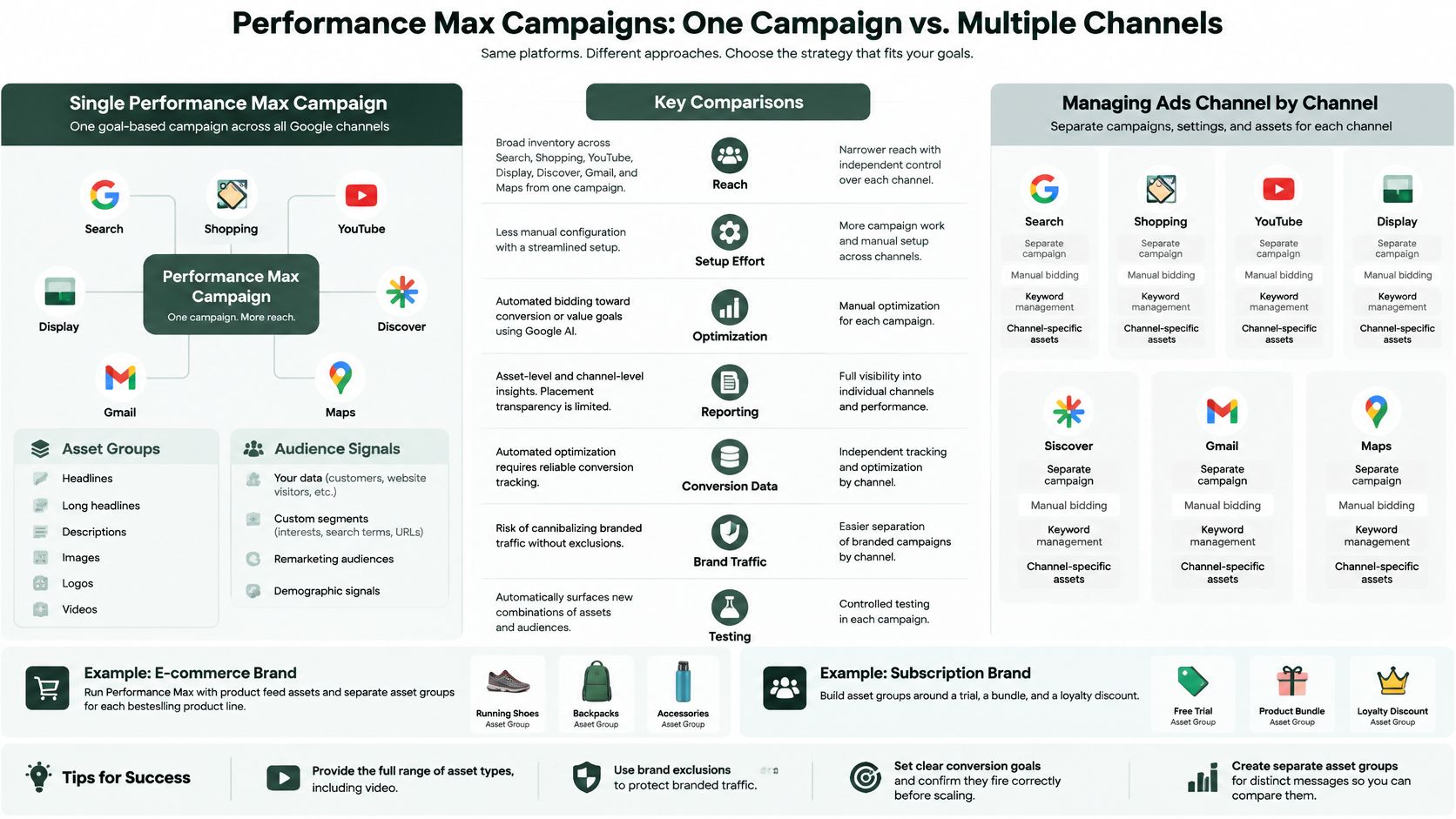
Asset groups are message tests, not ad sets. Build one group per distinct offer so the comparison means something.
The counterweight to all this automation is creative quality, and Landra's guide to PPC ad creative covers the asset patterns that survive automated combination. Read it before you build four groups around variations of the same promise.
- Supply every asset type, video included. Coverage improves and so does placement eligibility.
- Apply brand exclusions if you run separate brand campaigns. Don't let one campaign eat another's traffic.
- Verify conversion actions fire once per order. Transaction IDs and deduplication prevent inflated counts.
- Watch for cheap conversions that don't hold. Why cheap conversions hurt real returns is a useful sanity check on that pattern.
5. Demand Gen Campaigns
Demand Gen, previously Discovery, is the one Google format that behaves like paid social. It serves image, video and carousel ads across YouTube, YouTube Shorts, Discover and Gmail in feed-native layouts that look like content, not advertising.
Nobody searched for your ad here. That single fact changes how you should judge it.
What Demand Gen is really testing
Whether your creative hook can stop someone who wasn't looking for you. Search formats inherit intent. Demand Gen has to manufacture it in the first frame, which is why a hook lifted from your best Meta or TikTok creative usually outperforms copy written fresh for Google.
Where it leaks spend: sending this traffic to a product page built for people who already searched. A shopper scrolling Shorts has no purchase intent yet, and a grid of variants and a buy box reads as a demand they haven't formed.

A worked example. A DTC brand takes its highest-performing TikTok opening three seconds, cuts it vertical for Shorts and Discover, and sends the click to a pre-sell page that continues the same story. A beauty brand runs carousel ads with before-and-after frames that link to an editorial page explaining the results, the timeline and the caveats, rather than to the product page where the price arrives before the context.
- Build vertical and square variants. One aspect ratio gets squeezed and loses the hook.
- Front-load the payoff. The first three seconds decide whether the rest exists.
- Route to a pre-sell page, not a PDP. Match the low-intent click with a low-pressure page.
- Split audience segments. Broad, custom and remarketing deserve separate budgets and separate reads.
6. YouTube Skippable In-Stream Ads
Five seconds is the entire budget. Everything after the skip button is a bonus you earn.
Skippable in-stream ads play before, during or after YouTube videos. Viewers can skip after roughly five seconds, and advertisers are billed on views and interactions rather than on impressions alone under the standard cost-per-view model. That structure rewards a single thing: the opening.
Hook and end card have to be one idea
Most weak in-stream ads fail on continuity. The first five seconds sell one promise, the middle tells a brand story, and the end card sends people to a page that talks about something else. Each handoff loses people.
A worked example. A skincare brand opens on a customer complaint about dull skin, shows the product on screen inside the first five seconds, and lets the rest of the spot explain why. A supplement brand runs a 60-second testimonial and lands the end card on an advertorial that explains the ingredients and the testing, which is a page that can carry a longer argument than a product page.
Where it leaks spend: paying for views on a video whose opening is a logo animation. Nobody stays for a logo.
- Put the hook and brand name in the first five seconds. Both, not one or the other.
- Add a clear call-to-action overlay. Link it to the page that continues the narrative.
- Test opening hooks only. Keep everything after second five identical so the read stays clean.
- Match the landing headline to the video promise. Word-for-word where you can manage it.
7. Sitelink, Callout, and Structured Snippet Extensions
Extensions are the cheapest space in search and the most neglected. Sitelinks add deeper links beneath the ad, callouts add short benefit statements, and structured snippets list categories or product types. None of them cost anything extra per click.
They matter because search is where the biggest budgets concentrate. U.S. search advertising generated $102.9 billion in 2024 and accounted for 39.8% of total U.S. internet advertising revenue, according to the IAB and PwC Internet Advertising Revenue Report as summarized by Search Engine Roundtable. More lines on that page is a real advantage.
Route sitelinks by intent, not by convenience
The default mistake is pointing every sitelink at the homepage. Sitelinks should fork the query into the four or five most likely next steps.
A worked example. A mattress brand runs sitelinks for "Sleep Trial", "Reviews", "Financing" and "Compare Models", each landing on a page that answers exactly that question. A pet food brand uses callouts such as "Vet-Formulated" and "Free Returns" to place trust signals next to the headline where they get read.
Where it leaks spend: stale callouts advertising an expired promotion, and structured snippets listing categories the brand no longer sells. Both cost you relevance at the exact moment someone is deciding.
- Match each sitelink to one intent. Reviews, comparisons, shipping and financing are the usual four.
- Keep callouts under 25 characters and single-benefit. "Free Returns" beats "Great Service And Free Returns".
- Audit extensions whenever pricing changes. A dead offer in a callout is worse than no callout.
- Use structured snippets for categories you stock. They set an expectation the page must meet.
8. Google Ads Destination and Misrepresentation Policies
The fastest way to lose a Google Ads account isn't a bad bid. It's a landing page that says something the ad didn't. Google's Destination Requirements and Misrepresentation policies require the page to match the ad's promise and forbid misstating the product, its origin, pricing or affiliation.
Editorial-style pages sit closest to the line. An advertorial that reads like a news article, implies a third-party endorsement, or presents unverified claims as independent findings can be flagged even when the product itself is legitimate.
The advertorial risk zone
Four patterns trigger the most trouble on pre-sell pages.
- Implied independent review. A fictional byline or a news masthead suggesting a journalist tested the product.
- Unsupported health or medical claims. Anything a supplement page can't substantiate with real evidence.
- Borrowed authority. "As seen in" logos used without permission, or awards that don't exist.
- Missing seller identity. No business name, contact details or refund policy anywhere on the page.
A worked example. A brand labels its advertorial clearly as "Sponsored" near the headline, adds a visible Shop Now button and includes company contact details and a refund policy in the footer. A supplement brand strips unsupported medical claims from its pre-sell page before submitting Search ads for review, rather than after a disapproval.
Before you submit: read the page as a stranger and ask what it claims, who is claiming it, and who is selling. If any of those three is unclear, fix the page first.
Nothing about compliance slows a test cycle if you build it into the template. Teams that build presell listicle pages faster still need a policy read before launch, and our free Advertorial Compliance Checklist exists for exactly that step.
- Label sponsored content near the headline. Not buried under the fold.
- Mirror the ad's claim on the page. Same offer, same price, same terms.
- Show the seller. Business name, contact route and refund policy.
- Recheck health and finance pages after policy updates. Those categories move fastest.
Google Ad Formats at a Glance
| Format | Where It Appears | Best For | Main Optimization Lever |
|---|---|---|---|
| Responsive Search Ads (RSA) | Google Search results | Testing multiple messages against search queries | Distinct headlines and descriptions |
| Dynamic Search Ads (DSA) | Google Search results | Covering long-tail searches across large websites | Page feeds and negative keywords |
| Google Shopping (Product Shopping) Ads | Search results, Shopping tab, and Google Images | Reaching shoppers comparing products | Product feed quality |
| Performance Max Campaigns | Search, Shopping, YouTube, Display, Discover, Gmail, and Maps | Reaching customers across Google channels | Asset quality and conversion tracking |
| Demand Gen Campaigns (formerly Discovery) | YouTube, YouTube Shorts, Discover, and Gmail | Visual mid-funnel and upper-funnel engagement | Creative quality and audience testing |
| YouTube Skippable In-Stream Video Ads | Before, during, or after YouTube videos | Storytelling, awareness, and retargeting | First-five-second hook |
| Sitelink, Callout, and Structured Snippet Extensions | Beneath Google Search ads | Adding trust signals and routes to relevant pages | Relevant links and benefit-focused details |
| Google Ads Destination and Misrepresentation Policies for Advertorial Landing Pages | Advertorial landing pages and Google Ads reviews | Keeping pre-sell pages compliant and campaigns eligible | Transparent claims, seller details, and ad-page alignment |
Key Takeaways: Picking the Right Example of a Google Ad to Model
Every strong example of a Google ad shares three properties. The format mechanics suit the traffic temperature, the message assets are distinct enough to test something real, and the landing page can carry the promise the ad made. Miss any one of those and you're optimizing a broken loop.
Format selection follows from one question: how much intent does this click arrive with?
- No intent (cold social-style traffic). Demand Gen and YouTube in-stream, with creative lifted from your best paid social and clicks routed to an advertorial.
- Problem-aware search. Responsive Search Ads with broad match, paired with a story-led page that names the problem in the headline.
- Comparison-stage search. Shopping ads, DSA on collection pages, and listicles that rank options.
- Branded search. Extensions and sitelinks, protecting the cheap clicks you already earned.
The yardstick matters as much as the format. Semrush reported the average Google Ads conversion rate at 6.96% in 2024, based on its Google Ads statistics summary. Treat that as a rough baseline, not a target, because it averages every industry and every campaign type. If a format sits well below it after tracking is validated, the page is usually the problem, not the bid.
For teams running pipeline rather than pure e-commerce, this pipeline-focused PPC guide for B2B scale-ups covers the measurement side well.
The practical sequence is boring and it works. Validate conversion tracking, choose one format per intent stage, build asset groups that test different messages, then judge the result on incremental conversions rather than ad-level click-through. Teams without landing-page capacity can generate advertorial and listicle pre-sell pages from any product URL in minutes on Landra's Starter plan, which includes a 14-day free trial. As one marketing manager put it, "It's been performing well for us... especially for smaller teams that need to get landing pages out quickly."
The gap between a decent Google ad and a profitable one is almost always the page behind it. Landra turns any product URL into an editable, mobile-first advertorial or listicle in minutes, so you can match the promise your ad makes with a page built to keep it, then publish to Shopify, a Landra URL or HTML export. Start with the free trial and run one format from this list against a page you'd otherwise have spent a week briefing. Visit Landra to generate your first pre-sell page this week.