Research competitor landing pages, then build your own.
Search any DTC brand and see every page its Meta ads send traffic to, captured on desktop and mobile and broken down section by section. Then build your version of the angle that works.
What is a landing page research tool?
A landing page research tool shows you the pages your competitors send paid traffic to, so you can see which competitor landing pages they keep paying for, and why they work. Landra finds them from each brand’s live Meta ads.
Ad libraries show you the ad. They don’t show you the page the click lands on, and that page is often an advertorial or a listicle you would never find from the brand’s homepage. You can dig them out by hand (we wrote up how to find a competitor’s landing pages), but it takes an hour per brand. Page Research does it from a brand name: it pulls the brand’s Meta ads, follows every link, captures each page and tags what it does. How long a page’s ads have been running is the closest public signal that the page is paying for itself.
You can see their ads. You can’t see where the click goes.
The ad is half the funnel. The page behind it does most of the selling, and it is the half most research skips.
Ad libraries stop at the ad
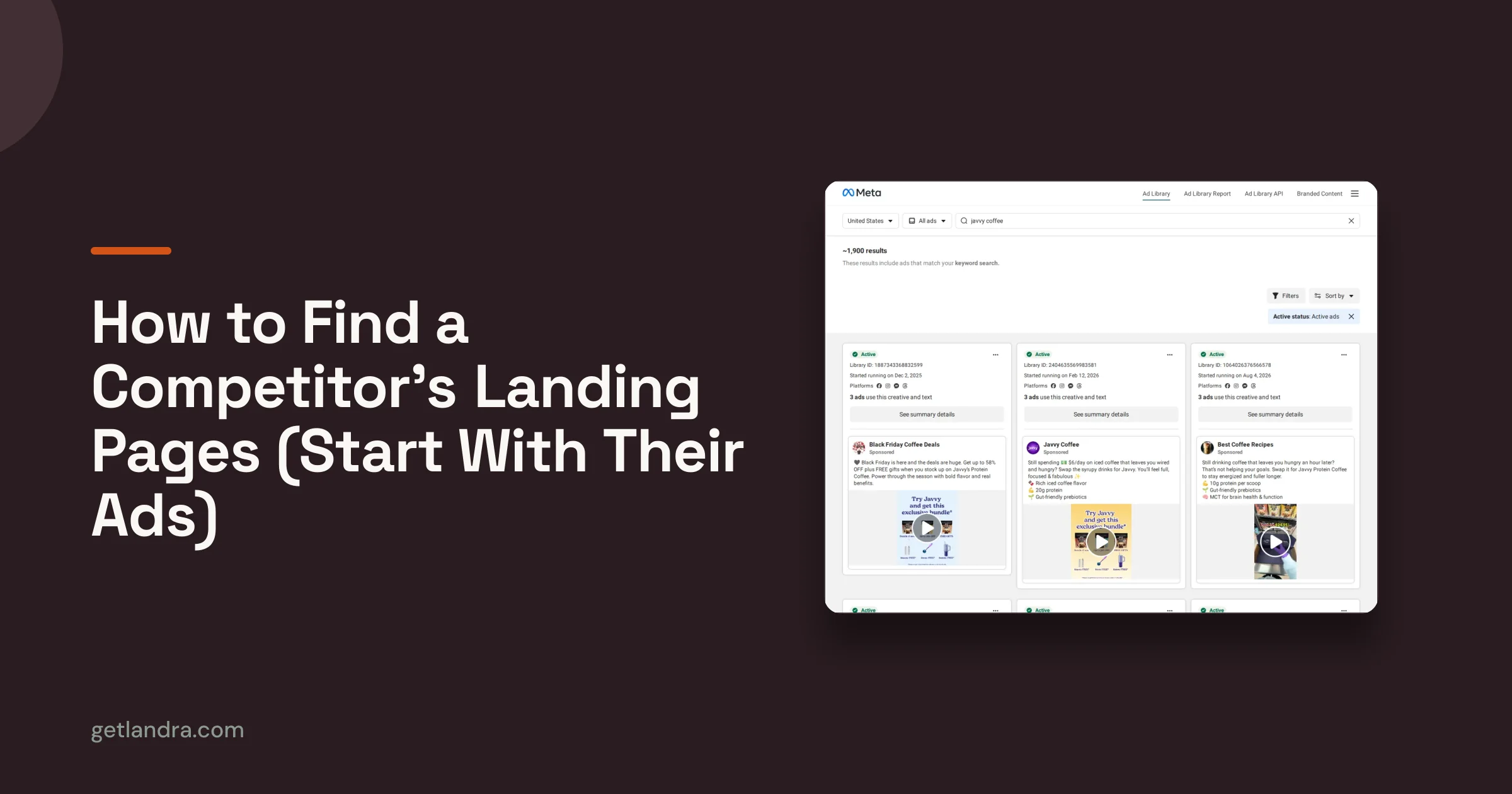
Meta’s Ad Library shows the creative and a link. To see the page you click through ad by ad, and half the links go somewhere you did not expect.
Swipe files are screenshots
A folder of saved pages tells you how they looked on the day you saved them. It does not tell you the angle, the offer, or whether the brand still pays to send traffic there.
Research that stops at research
Spotting a winning page is step one. If turning it into your own page means briefing a writer, the insight sits in a doc for weeks.
Brand name in. Their whole funnel out.
No spy extension, no guessing which URL the ad goes to. Landra follows the ads for you.
Search a brand
Type a brand name. If it is already in the library you see its pages straight away, at no cost. If not, Landra adds it for 5 credits, refunded when it finds nothing.
Landra follows the ads
It pulls the brand’s Meta ads, finds every page those ads link to, and captures each one on desktop and mobile.
Read the breakdown, then build
Each page is tagged with its type, angle, offer, proof and ad run time. From an advertorial, listicle or offer page, one click starts your own version in the builder.
A teardown of every page, not a screenshot folder.
A swipe file tells you what a page looks like. Page Research tells you what it is doing, how long the ads behind it have run, and lets you build from it.
Pages found from live ads
Every page in the library came from a Meta ad that linked to it, so you see the pages brands pay to send traffic to, not the ones they forgot on their site.
Sorted by page type
Advertorials, listicles, offer pages, quizzes, VSLs and product pages, tagged so you can look at only the format you are about to build.
The teardown is done for you
Headline, angle, offer, price and discount text, guarantee, proof types (reviews, expert, before and after, press, UGC) and a section-by-section outline of the page.
A signal of what is working
Each page shows how many active ads point to it and how long they have run. A page with ads running for months is a page the brand keeps paying for.
Kept current
Brands people are using refresh every 7 days, so new pages show up as the brand launches them. Follow a brand to keep it in view.
Then build your own
Save pages to folders, and turn any advertorial, listicle or offer page into your own version of the angle, written for your product, in the Landra builder.
Page Research vs. Meta Ad Library vs. a swipe file.
Three ways to research the pages behind your competitors’ ads, and what each one gets you.
| Landra Page Research | Meta Ad Library by hand | Screenshot swipe file | |
|---|---|---|---|
| Shows the page behind the ad | Yes | Click each ad | If you saved it |
| Desktop and mobile capture | Yes | No | Usually one |
| Angle, offer and proof tagged | Yes | No | No |
| Ad run time per page | Yes | Per ad, not per page | No |
| Build your own from it | One click | No | No |
| Cost | Credits on a plan | Free | Free, plus your time |
Comparison as of November 2026. Meta’s Ad Library is free and the right place to start if you only need to see a few ads. Landra pages are built from those same public ads.
Start free. Pay when it’s working.
Every plan begins with a 14-day free trial — your first page is free.
Starter
Kick the tires — test Landra on a single page.
/mo · free for 14 days · cancel anytime
2 generations / mo · 1 stored pageEverything you need to ship
- Generate a fully optimized landing page from any URL
- Advertorials & listicles
- Click-anything visual editor
- Publish to a Landra URL, Shopify, or export HTML
No charge for 14 days
Pro
The full AI creative toolkit for brands running paid traffic.
/mo · free for 14 days · cancel anytime
20 generations / mo · 10 stored pagesEverything in Starter, plus
- AI image generation
- Write & rewrite with Landra — AI section writing with your feedback
- News & magazine-style ad generation — create an ad from any page
- Saved brand context
- Hero section templates — 4 styles to choose from
- Multiple headline options
No charge for 14 days
Pro Plus
For agencies & high-volume teams shipping constantly.
/mo · free for 14 days · cancel anytime
100 generations / mo · 100 stored pagesEverything in Pro, plus
- High-volume generation for constant shipping
- Built for teams & agencies
No charge for 14 days
All plans start with a 14-day free trial, then automatically renew monthly at the price shown plus any applicable tax until you cancel. Cancel anytime from your Billing page. No cancellation fees. How to cancel
Frequently asked.
How do I find a competitor’s landing pages?
Where do the pages in the library come from?
What does it cost?
What do I get for each page?
Can I copy a competitor’s page?
How is this different from an ad spy tool?
Know the page types before you research them.
An ad written as an article, the most common page behind a cold-traffic ad.
Read definition →ListicleA ranked “reasons why” page for shoppers who already feel the problem.
Read definition →Presell pageAny page that sits between the ad and the product page and earns the click.
Read definition →Message matchWhy the page has to pick up where the ad left off.
Read guide →Related reading.
See what your competitors pay to send traffic to.
Search a brand, read the pages behind its ads, and build your own version of the angle that works.