

You can have a page full of traffic and still feel stuck. Paid social is sending cold visitors, the product is solid, and the dashboard says people are landing. Then the sessions end fast, the add-to-cart rate looks thin, and every new creative round seems to buy more clicks, not more revenue.
That's where landing page split testing earns its keep. It gives you a controlled way to compare two versions of the same page, isolate one change, and see which version moves the conversion metric. For brands running unstable Meta or TikTok traffic, that discipline matters even more, because the audience can shift while the campaign is still live.
Table of Contents
- Why Landing Page Split Testing Matters
- Planning Your Test Hypothesis and Metrics
- Designing Test Variants and Calculating Sample Size
- Setting Up Testing Tools and Performing QA
- Monitoring Tests and Ensuring Statistical Validity
- Analyzing Results and Optimizing Further
- Conclusion and Next Steps
Why Landing Page Split Testing Matters
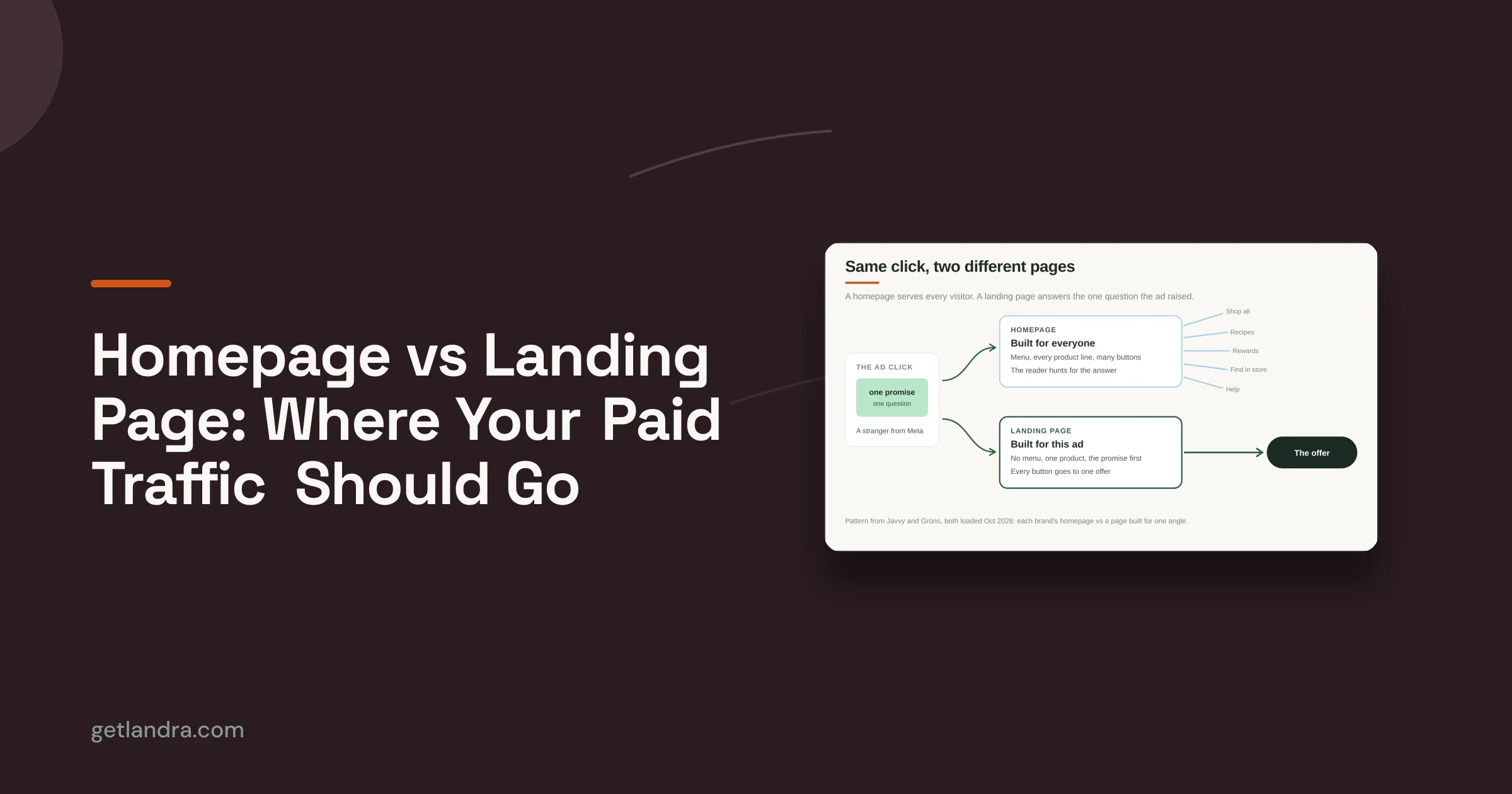
Cold traffic is expensive because you're asking people who barely know the brand to make a decision fast. If you send them straight to a static product page, you're forcing the page to do two jobs at once, educate and convert. That's why teams that care about conversion rate optimization often start by treating the landing page as its own system, not just a prettier version of the PDP. This conversion rate optimization overview is a useful companion if you want the broader framework behind that mindset.
The operational problem behind weak conversion
Most DTC underperformance isn't caused by one catastrophic issue. It's a pile of small frictions, a headline that doesn't match the ad, a hero image that doesn't earn trust, a CTA that doesn't feel urgent, or a page that asks for too much too soon. A split test lets you find out which of those is causing the damage.
Practical rule: if the traffic is coming from paid social, the landing page should carry the message continuity. If it doesn't, the click often becomes a bounce.
Split testing is useful because it replaces guessing with a live comparison between two versions. The test is only valuable, though, if the setup is clean enough to make the result believable. That means a fair traffic split, one change at a time, and a decision rule that doesn't bend after launch.
Planning Your Test Hypothesis and Metrics
Start with a single question, not a brainstorm. A good hypothesis names the one page element you want to change, the reason you expect it to matter, and the conversion metric that will decide the winner. If the page has a weak hero section, you might test the headline. If visitors are hesitant, you might test the CTA copy. If attention is scattered, the hero image may be the right variable.
The structure matters because a technically sound landing-page split test should isolate one independent variable, use a randomized 50/50 traffic split, and predefine a hypothesis and primary conversion metric before launch, as recommended in practitioner guidance from KlientBoost's landing page split testing playbook. That's what keeps the comparison causal instead of fuzzy.
Pick the metric that matches the page job
If the page exists to earn a click deeper into the funnel, track the click metric that matters most. If it's a true purchase page, use purchase conversion. If the page is part of a lead flow, use the form completion event. Don't let secondary metrics distract you before the core goal is clear.
For a supplement brand, the hypothesis might center on a hero headline that emphasizes a concrete benefit over a vague wellness promise. For a beauty device campaign, the test might compare a product-first CTA against a problem-first CTA. In both cases, the metric should reflect the action the page is built to trigger, not a vanity interaction that looks good in a dashboard but doesn't move revenue.
You can also write the hypothesis in plain language before you touch the page:
- Element to change: Headline, CTA, hero image, or layout.
- Expected behavior: What should visitors do differently?
- Primary metric: The one conversion event that decides success.
Use the conversion rate calculator to pressure-test your assumptions before launch. It's a simple way to sanity-check whether the traffic you have can realistically support the idea you want to test.
Designing Test Variants and Calculating Sample Size
The control should stay plain. Keep it as the current page version, unchanged except for serving as the baseline. The challenger should introduce one meaningful change, not three or four cosmetic edits bundled together. That keeps the result tied to the idea itself instead of a stack of unrelated page changes.

Keep the control and challenger nearly identical
A lot of tests get messy because a team swaps the headline, the hero image, the CTA button, and the section order, then tries to explain the result as if one change caused it. That is a page redesign with a scoreboard attached.
Change one element and leave everything else alone, including mobile rendering. Practitioner guidance also recommends keeping the control group available so the challenger can be benchmarked against baseline performance, not against memory or opinion. If the page has responsiveness issues, the variant can win on desktop and lose on mobile, which makes the result harder to trust and harder to use.
The safest place to start is often the element with the clearest decision impact, headline, CTA copy, hero visual, or section hierarchy. If you need a design reference before building variants, these landing page design best practices help you keep the page focused while still giving each test a fair shot.
Use sample size and duration to protect the result
For meaningful tests, practitioner guidance converges on at least 1,000 visitors per variation or roughly 1,000+ visitors per week, with runs lasting 1 to 2 weeks or at least one full business cycle so weekday and weekend behavior don't distort the outcome. One source also points to 50+ conversions per week as a practical minimum for trustworthy conclusions, according to Kirro's landing page split testing guidance.
That guidance matters even more for low-volume paid social. If traffic is unstable, do not force a fast verdict just because the variant looks ahead early. Short tests often reward luck, timing, or a strange traffic pocket, not the actual creative or message improvement.
I treat sample size as an operational guardrail, not a math exercise for its own sake. If the page cannot gather enough data in a reasonable window, the better move is to narrow the test, simplify the goal, or wait for a steadier traffic period.
Don't celebrate a pretty chart before the test has enough traffic to support it. Low-volume pages can produce convincing nonsense.
Setting Up Testing Tools and Performing QA
The tool matters less than the discipline around it. Whether you're using Google Optimize alternatives, Optimizely, VWO, Replo, or a Shopify app, the setup should do three things cleanly, allocate traffic evenly, fire the right events, and preserve page integrity across devices. A tool can split traffic, but it can't rescue a sloppy implementation.
Configure the test around the primary event
Start by defining the page URL or page group you want to test, then assign the control and challenger variations. Keep the traffic allocation at the same split you planned before launch, and confirm that the primary event is mapped correctly, whether that's add-to-cart, lead submission, or purchase. If the page sits inside a broader funnel, make sure the testing setup doesn't break the handoff into the next step.
Event tracking needs special care. Add-to-cart and purchase events often behave differently across browsers, and client-side scripts can fail without indication if another app or tag interferes. If the variant is generated through a builder or app, confirm that the published version matches the editor version exactly before you send live traffic.
Run a real QA pass before launch
Use a QA checklist that covers rendering and tracking, not just visual polish.
- Test desktop and mobile separately: Buttons that look fine on a laptop can be awkward on a phone.
- Click every tracked element: Don't assume the CTA event is firing just because the page loads.
- Check browser consistency: Chrome, Safari, and Firefox can surface different script behavior.
- Look for JavaScript errors: Even a quiet error can block the test from recording clean data.
- Verify URL targeting: Make sure the right visitors are entering the right experiment.
A disciplined QA pass saves you from trying to interpret broken data later. If the page looks good but the event never fires, the test is already compromised before the first real visitor lands.
Monitoring Tests and Ensuring Statistical Validity
Once the test is live, the temptation is to treat the dashboard like a live sports score. Resist that. The most useful monitoring is narrow and operational, not emotional. You're checking whether the experiment still matches the plan, not hunting for a reason to crown a winner early.
Watch the test conditions, not just the result
Landing page split testing is typically run as a randomized A/B experiment that sends traffic evenly between two page versions, and multiple industry guides recommend a 50/50 traffic split to keep the comparison fair and isolate the effect of one change. The same guidance recommends running the experiment for at least one to two weeks so day-of-week behavior doesn't distort the result, as summarized in Eulav's split test landing pages guide.
That gives you the first guardrail. The others are operational. Watch for sample-ratio mismatch, bot traffic spikes, and mid-test edits that can invalidate the run. If traffic sources change halfway through, the audience mix changes too, and the result can stop reflecting the original experiment.
Treat confidence as a gate, not a trophy
Some practitioner sources explicitly point to a 95% statistical confidence threshold before declaring a winner. That's a useful line because it prevents teams from promoting a variant based on noise, luck, or a temporary surge. Confidence alone isn't enough, though. The run still needs to respect the planned duration, the sample size, and the original traffic setup.
Peeking too early is a classic failure mode. So is stopping the test the moment one chart looks favorable. If the campaign is paid social and the creative is wearing out quickly, the traffic can become unstable right when you're most tempted to believe the first good-looking result. That's when restraint matters most.
Analyzing Results and Optimizing Further
A valid winner is only the start. The primary value comes from understanding why the page won, where it won, and whether that pattern is useful for the next test. If you only record the lift and ship the page, you're leaving the learning behind.
Read the result through the lens of traffic quality
Most mainstream guides repeat the basics, test one element, split traffic evenly, wait for statistical significance, but they rarely answer the harder question of when not to trust the result or how to handle low-volume brands, uneven weekday behavior, and seasonality. That gap matters because paid social traffic can change fast, and the same page can perform differently when the audience gets colder, cheaper, or more fatigued. Mailchimp's landing page split testing resource calls out the need for guardrails around sample-ratio mismatch, bot filtering, and peeking risks, which is exactly where many tests go wrong.
Don't stop at the headline result. Check whether the variant behaved differently across device types or audience segments, because the overall average can hide a useful subgroup win or a dangerous subgroup drop. If mobile looks stronger and desktop looks flat, that's not a failed test, it's a direction for a more precise follow-up.
Turn one result into the next hypothesis
A small win can still be worth keeping if it's stable and repeatable. A clean loss is useful too, because it tells you which direction not to pursue again. The key is to document the insight in a way your team can reuse.
A simple post-test note should include:
- What changed: The exact page element you modified.
- What happened: Which version won, or whether the test was inconclusive.
- Where it happened: Any obvious device or segment differences.
- What to test next: The next hypothesis that naturally follows from the result.
That workflow turns split testing into a compounding system. Each experiment should narrow the next question, not reset the team back to opinion mode.
Conclusion and Next Steps
Landing page split testing pays off when the process stays controlled. Choose one variable, set one primary metric, keep the traffic split even, and give the test enough time to clear the noise. On low-volume paid social accounts, that discipline matters even more because a few unstable sessions, a spike in fatigue, or a bad traffic mix can tilt the result fast.
The best next test is usually the one closest to the friction. Start with the page that is blocking conversions, write a clear hypothesis, and confirm that the sample size and traffic pattern can sufficiently support the test before you launch. QA should happen before any paid traffic goes live, because a broken variant wastes spend and gives you a false read on the page.
A good closeout process keeps each experiment useful after the result lands. Record what changed, what happened, where the result looked strong or weak, and what question follows from it. A small win that holds up across device types and audience segments is worth keeping, while a clean loss tells you where not to spend the next round of traffic.
For teams that need to move faster, Landra can help you generate and duplicate test variants in minutes, so you can turn findings into the next live experiment without the usual production delays.