

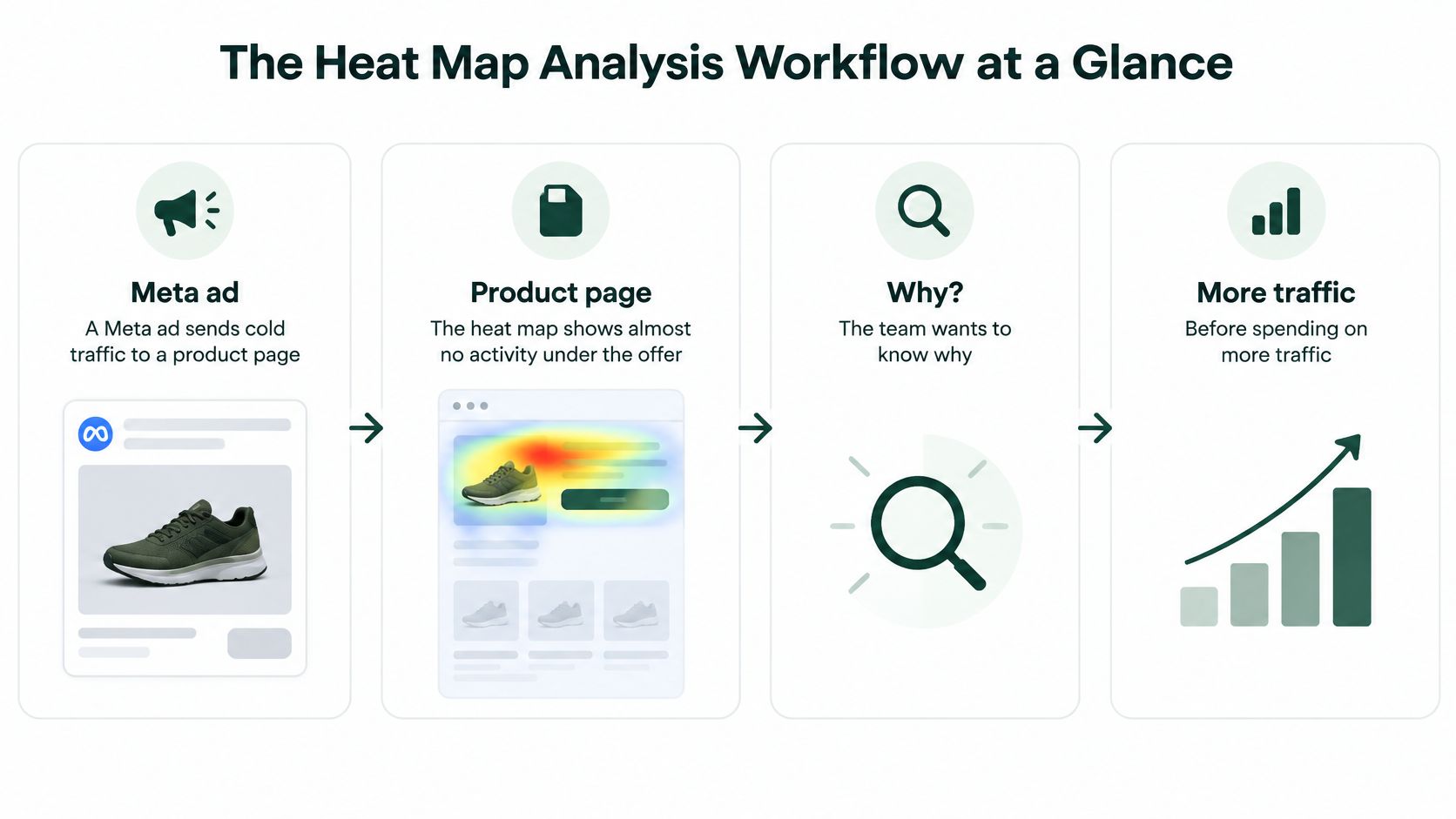
A Meta ad is sending cold traffic to a product page. The heat map glows above the offer and goes quiet underneath. Someone on the team wants a reason before the next spend increase.
That overlay is not a verdict on the page. Heat map analysis is a loop that turns attention and interaction into a segment-level hypothesis, then checks it against a metric. One blended map hides the buyers who matter. New visitors, returning buyers, mobile paid social, and email traffic do not share one journey.
A hot zone can be confusion or a misclick. A cold trust block can still move a smaller, higher-value group. Cookie banners and browser limits mean the map only covers people you were allowed to track. The useful move is a ranked test, not a same-day redesign.
Table of Contents
- The Heat Map Analysis Workflow at a Glance
- Choosing Heat Map Tools for Landing Pages
- Setting Up Sampling and Segments Before You Read
- Reading Click, Scroll, Move and Attention Maps
- Turning Map Observations Into Testable Hypotheses
- How to Run the Experiment and Read the Result
- Apply the Winning Change to Your Pre-Sell Page
The Heat Map Analysis Workflow at a Glance
Two weeks of tracking come back on a product page and every session blurs into one orange smear under the hero. The question is what that smear can honestly support. Heat map analysis is a loop. Each stage hands a specific output to the next one. Skip a stage and the test that follows is a guess with a colorful screenshot attached.
Treat every map as an attention or interaction distribution, not proof of comprehension, persuasion, or conversion. The closest thing to a foundation here is a text-reading study, and it is worth keeping that distinction. In Jakob Nielsen's 1997 Alertbox piece How Users Read on the Web, 79% of desktop participants scanned a new page while only 16% read word by word. That result says people skim on desktop screens. It says nothing about where color should cluster on your page, because task, device, language, and intent all shift where people look. Pair maps with click-through rate, scroll depth, qualitative notes, and a controlled test. Broader proven tactics to improve conversion rates sit in that same measurement habit, not in the color scale.
| Stage | Output | Typical time | Main risk |
|---|---|---|---|
| Define the question | One measurable goal per page | Half a day | Vague goal such as improve engagement |
| Set up tracking | Tag installed, consent checked, mobile tracked | 1-2 days | Desktop-only data passed off as the whole audience |
| Collect the sample | Minimum sessions per segment | 1-3 weeks | Reading maps from a few dozen visits |
| Read the maps | Observations per segment and device | 1-2 days | Treating a hot spot as proof of intent |
| Write hypotheses | Three ranked hypotheses with a metric each | Half a day | Testing a guess with no baseline |
| Test variants | Winner, loser, or no difference | 2-4 weeks | Stopping the test on the first good day |
| Apply the change | Live page update with monitoring | 1 day | Shipping without checking mobile |
The stage teams skip
The jump from a vivid map to a variant is the common failure. The write hypotheses stage gets skipped. Without a segment, a suspected cause, and a metric, a real lift looks identical to a lucky Tuesday. Two to four weeks of testing later, the quiet zone under the offer is still unexplained.
Choosing Heat Map Tools for Landing Pages
Three capabilities are essential before you compare vendors. You need click, scroll, and move maps on specific URLs. You need each map split by device and traffic source. You need enough sessions on one URL for the same hot spot to repeat.

Price is the wrong first filter. A free recorder that cannot split paid social from organic will mix two audiences into one blob. A replay suite that cannot separate variants will show you the control and the challenger as if they were the same page.
| Tool category | Examples | Best for | Check before committing |
|---|---|---|---|
| Free session analytics | Microsoft Clarity | Low-budget tests with click, scroll, and recordings | Segment depth and data retention limits |
| Dedicated heatmap tools | Hotjar, Crazy Egg | Click, scroll, and move maps on a few key URLs | Mobile map accuracy and consent banner support |
| Session replay with heatmaps | FullStory, Quantum Metric | Matching map patterns to individual journeys | Cost per session and privacy configuration |
| Heatmaps inside an A/B testing stack | Optimizely, VWO | Pairing map patterns with variant conversion results | Whether maps split cleanly by variant |
Pre-purchase checks
Run these four questions on a trial, not on a sales deck.
- Variant split: Does it map each variant on its own URL or experiment ID?
- Consent: Does the tag wait for the banner, or does it record before a choice?
- Mobile taps: Do taps land on the component people touched, including after the layout shifts?
- Export: Can you pull counts into a spreadsheet so sample size sits next to the picture?
If you also need the page those maps sit on, a generator such as Landra can turn a product URL into an editable advertorial or listicle you then instrument. Page production and behavior tools solve different jobs. For the test layer itself, find tools for testing and personalization and pick one stack.
Practical rule: One tool on one landing page. Two overlapping heat maps that disagree stall the decision instead of sharpening it.
Setting Up Sampling and Segments Before You Read
A heat map never shows the full audience. Consent banners, browser restrictions, and ad blockers leave you with the trackable subset. How large that subset is varies by site, market, and device, and no published benchmark can tell you your number. Measure your own consent rate before you trust a map. A page where most visitors opt in and a page where a strict banner removes a third of them produce very different evidence, even when the colors look identical.
Mobile is not a smaller desktop. Responsive layouts move elements as people scroll. Taps have lower spatial precision, so a desktop-style overlay can pin activity on the wrong component or read an accidental tap as intent. A quieter map with a known coverage gap beats a vivid map from a biased sample.
Setup sequence
- Install the tag on the live pre-sell page and on each variant URL before traffic starts.
- Confirm tap events fire on a real phone, not only in a desktop emulator.
- Exclude form fields that collect personal data. Mask emails, phones, and payment inputs.
- Set a date range of at least two full weekly cycles so weekday and weekend buyers both appear.
- Pull the consent rate from your own analytics for that window, then report it with device and country coverage beside every map you share.
Segments worth splitting
A blended map is where the buyers who matter disappear. The aggregate view averages away the segment that pays for the test.
- New versus returning: Returning buyers already know the product. Their cold headline is not a failed promise.
- Mobile versus desktop: Read them apart. A desktop cursor path does not describe a thumb.
- Paid social versus organic or email: Cold Meta traffic and an email click arrive with different expectations.
- High-value versus low-value: Where order data exists, a low-click pricing block can still matter to the buyers who spend more.
Use a planning floor of 100 sessions per segment per variant before you interpret color. Below that, label the map directional only. Require the same hot spot on two separate weeks. Put sample size and consent coverage in the filename or the slide title so nobody treats a thin slice as a decision. A map built this way generates hypotheses worth testing. It does not deliver a verdict on the page.
Reading Click, Scroll, Move and Attention Maps
In left-to-right layouts, people do not read a landing page line by line. In 2006, Nielsen Norman Group eye-tracking with 232 users across thousands of pages showed a recurring F-shaped scanning pattern. Visitors moved across the upper content, made a shorter horizontal pass lower down, then scanned the left side. Later examples, including maps from more than 45 participants, still showed it. Nielsen Norman Group's write-up of text scanning patterns is why the primary promise, product context, proof, and next action belong near the top and the left column on advertorials and listicles. Dense paragraphs lower and farther right get less attention.
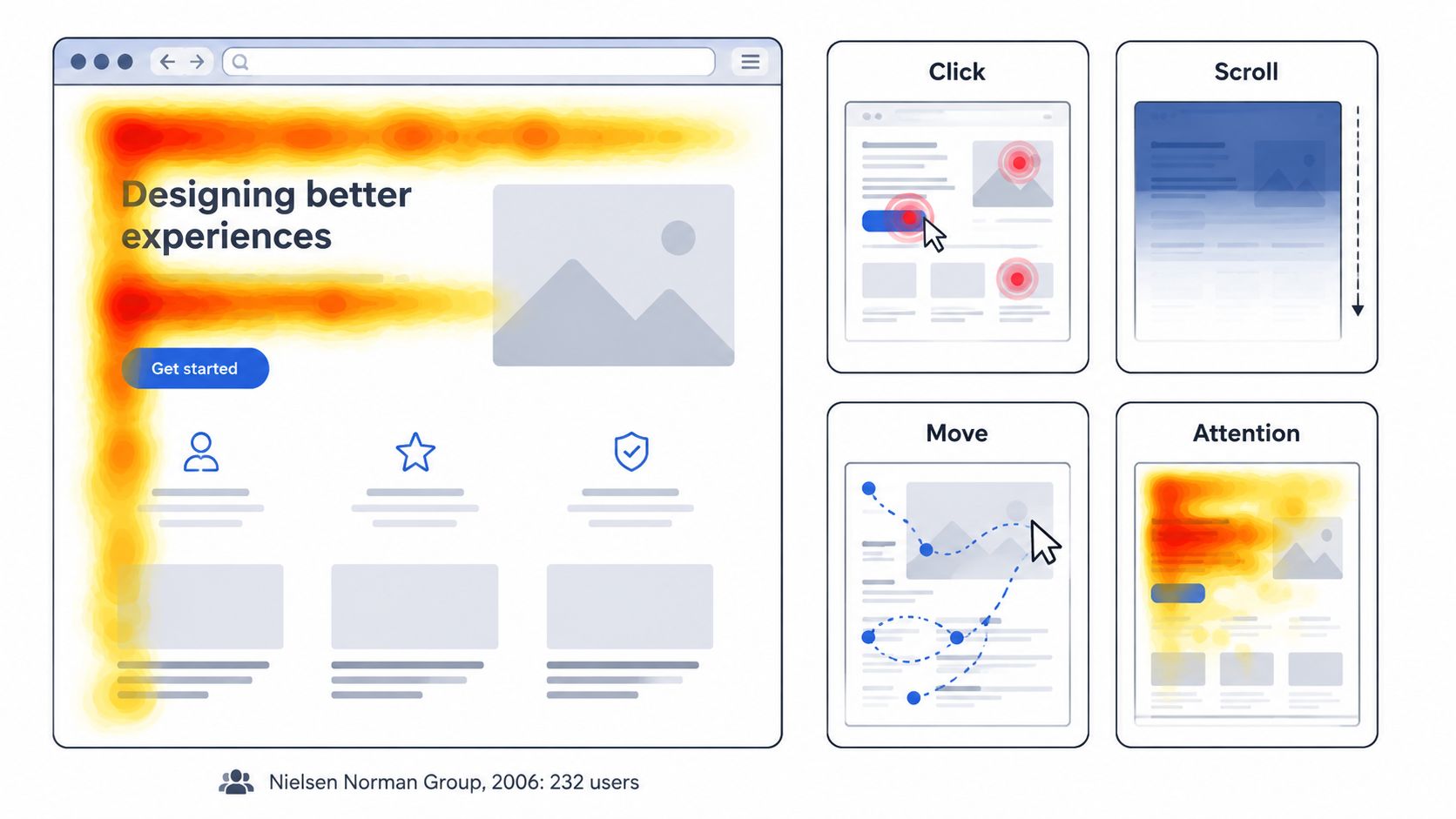
That layout baseline is a starting point, not a template you paste onto every offer. Read the four map types against it, then check whether your pre-sell page earns the scan.
| Map type | What it shows | Common misreading | Pre-sell page check |
|---|---|---|---|
| Click map | Where visitors tap or click | Hot image read as interest when it is a misclick | Whether the primary CTA and proof get taps |
| Scroll map | How far visitors scroll | Drop-off read as a weak offer when the transition is weak | Where readers stop relative to the first proof block |
| Move map | Cursor paths on desktop | Gaps read as no interest; weak on touch devices | Whether the headline and image pull the eye left and up |
| Attention map | Time-weighted gaze or hover | Long dwell read as understanding | Whether the headline is read before the CTA |
Three misreads that waste a test
A hot image is often a misclick. People tap photos that look like buttons. Count those taps as friction unless the image is a real link you intended.
A cold trust section can still sell. Aggregate color flattens journeys. A block that looks dead to new mobile visitors may be the reason returning or high-value buyers continue. To analyze user behavior on DTC landing pages, split the map before you delete copy.
A scroll drop just above the call to action is usually a weak bridge. The offer may be fine. The sentence that should carry people into it is not.
Compare maps only at the same scroll reach. A variant that nobody scrolls will look cold everywhere, including on elements the other variant actually earned.
Mark the mobile fold on its own screenshot. Desktop fold lines lie about what a phone shows first. Move maps stay a desktop aid. On touch devices, lean on click and scroll maps, then watch a handful of replays before you name a cause.
Turning Map Observations Into Testable Hypotheses
A paid mobile map can look dead while the buyers who matter are moving under the color. I treat that map as a prompt for a sharper question, then force the next step to name the segment and the metric. Visibility is a signal. Business importance has to be proven in the split.
Coverage comes first. If a segment has only a handful of sessions, its hot and cold spots are noise until the split fills. Write each hypothesis in one line with five parts: observation, segment, suspected cause, change, and the metric that would confirm or reject it. If you cannot name the metric, you do not have a test yet.
| Observation | Segment | Suspected cause | Change to test | Metric to check |
|---|---|---|---|---|
| Taps on size chart, few taps on add to cart | Paid mobile visitors | Sizing unclear before the offer | Move size proof above the first call to action | Add-to-cart rate on mobile paid traffic |
| Scroll drops after first testimonial | Desktop search visitors | Weak transition into product detail | Add a bridge line and a second proof block | Scroll reach past the proof section |
| Headline ignored, price clicked | Returning visitors | They already know the product | Shorten the intro and lead with price and offer | Checkout starts from returning visitors |
| Product card clicks, no add to cart | Listicle referrals | Card promise differs from product page | Match card copy to the first product section | Click-through to product page and add-to-cart rate |
How to rank them
Score each idea by expected revenue impact, times segment size, times how easy the change is to ship. Keep no more than three active tests on one page. A fourth variant splits the sample until every map is too thin to read.
Before paid traffic sees the change, write the launch gate in the ticket: minimum sample per segment, the stop rule, and the one metric allowed to decide. If the edit changes redirects, form posts, or checkout calls, validate hypotheses safely with GoReplay as a technical pre-flight for the request path. Buyer preference still gets decided by the controlled split.
How to Run the Experiment and Read the Result
A clean test changes one thing, holds the split steady, and refuses to crown a winner on day three. Heat maps come back in at the end, beside conversion rate and revenue per visitor, not instead of them.
The seven steps
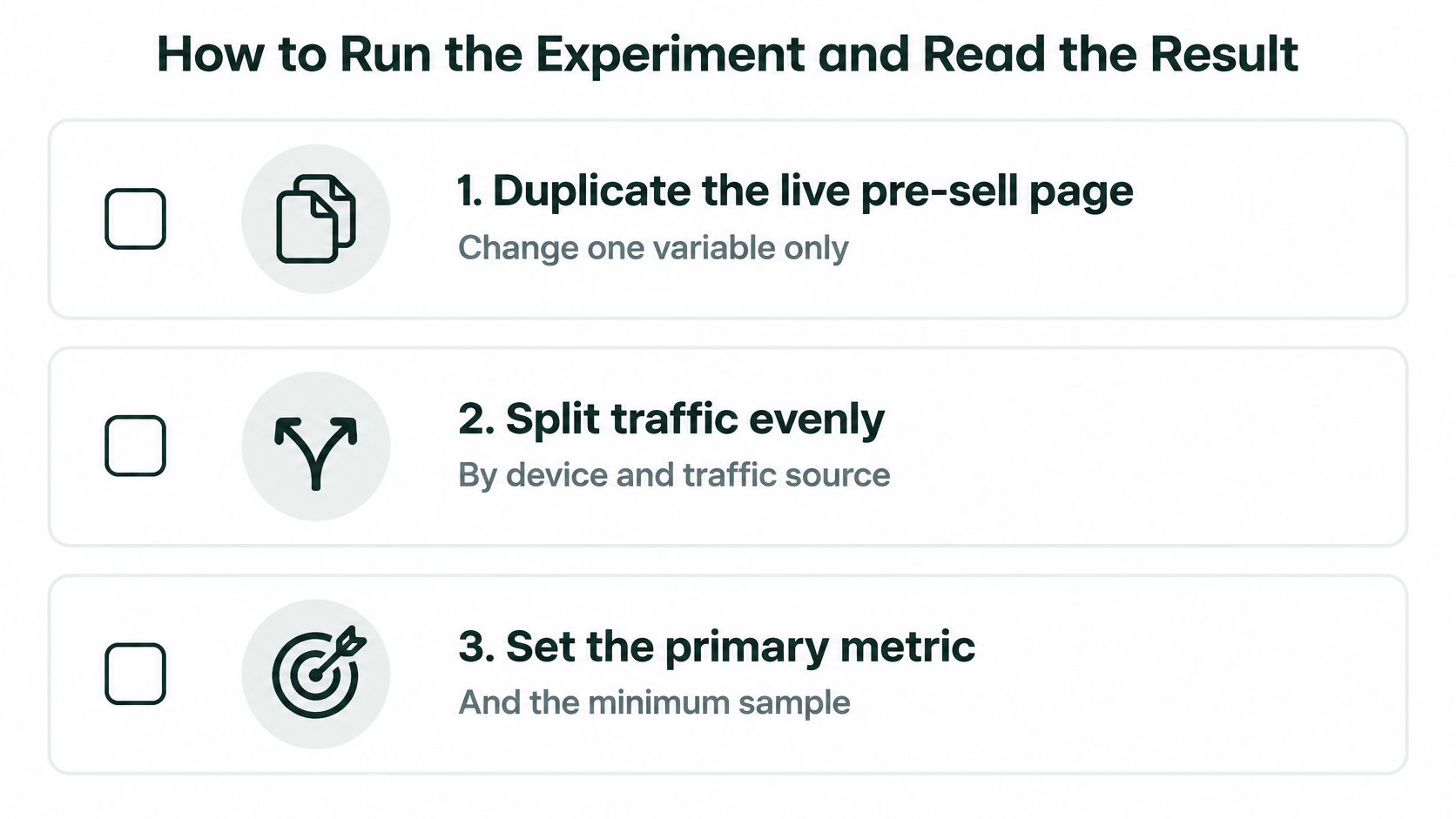
- Duplicate the live pre-sell page and change one variable. Two edits at once make the result unexplainable. You will not know whether the bridge line or the new photo did the work.
- Split traffic evenly by device and by traffic source. An uneven mobile share makes the "winner" a device mix, not a page.
- Set the primary metric and the minimum sample before launch. Changing the goal after you see the chart is how losing tests get declared wins.
- Run at least two full weekly cycles. Weekday buyers and weekend buyers are different people. One good Friday is not a pattern.
- Read each variant's maps next to conversion rate and revenue per visitor. A hotter call to action that lowers revenue per visitor is not a win for the segment you care about.
- Record the decision and the reason in one place. Winner, loser, or no difference, plus the sample you reached.
- Start the next test from the highest-ranked hypothesis still open. Do not invent a new idea because the last chart was boring.
Stopping early because one variant leads inflates the apparent winner. Reading a desktop map to explain a mobile result hides the cause. If the variant's advantage flips between weeks, call it no difference and move on.
Before you call a winner
- Primary metric: It moved in the planned direction for the planned segment.
- Revenue per visitor: It did not fall in the segment that pays for the ads.
- Stability: The lead did not reverse from week one to week two.
- Device check: Mobile and desktop were both large enough to read, or you limited the claim to the device you tested.
- Map sanity: The new element is not collecting misclicks that the click map flags and the conversion metric ignores.
Use this sequence when you validate conversion lifts before scaling. Scaling a noisy winner just buys a more expensive version of the same uncertainty.
Apply the Winning Change to Your Pre-Sell Page
Ship the variant only if it wins on the primary metric and does not lower revenue per visitor in the segment that matters most. A higher click-through rate with a weaker checkout is a hold, not a launch.
On an advertorial or listicle, keep the headline frame that matched the awareness stage of the ad. Move the proof block that the maps showed people reached. Remove a call to action only when clicks and checkout starts both stay flat after you take it away. A scroll drop-off usually needs a transition line, not a full rewrite of the offer.
For the first two weeks after launch, check three things. Mobile heat maps on the changed element. Conversion by traffic source, especially paid social versus everyone else. Any new misclick pattern on the component you moved. If revenue per visitor in the mobile paid segment drops for a full week, restore the saved duplicate of the previous version. Do not wait for a monthly review to notice the dip.
Page structure still has to carry the winning line. Teams that need the surrounding layout rebuilt, not only the test copy, often look at websites by Aim Set Win for the design pass while the experiment log stays with the media buyer.
This week's action is small on purpose. Pick the top-ranked hypothesis, duplicate the live page, change one variable, and launch that single test before you buy more traffic.
Landra builds mobile-first advertorials and listicles from a product URL so you can duplicate a pre-sell page, change one element, and publish a variant without a long production cycle. That is the page heat map analysis is meant to question, segment by segment, instead of treating one aggregate overlay as the final word. Visit Landra when you are ready to put the next hypothesis on a live page.