
These notes cover everything we shipped in August 2026. We wrote them in October, after the July release notes, so where something changed after it shipped, this post describes how it works today.
August brought two new templates, a way to make ads from your pages, and better ways to give Landra what your website doesn't say.
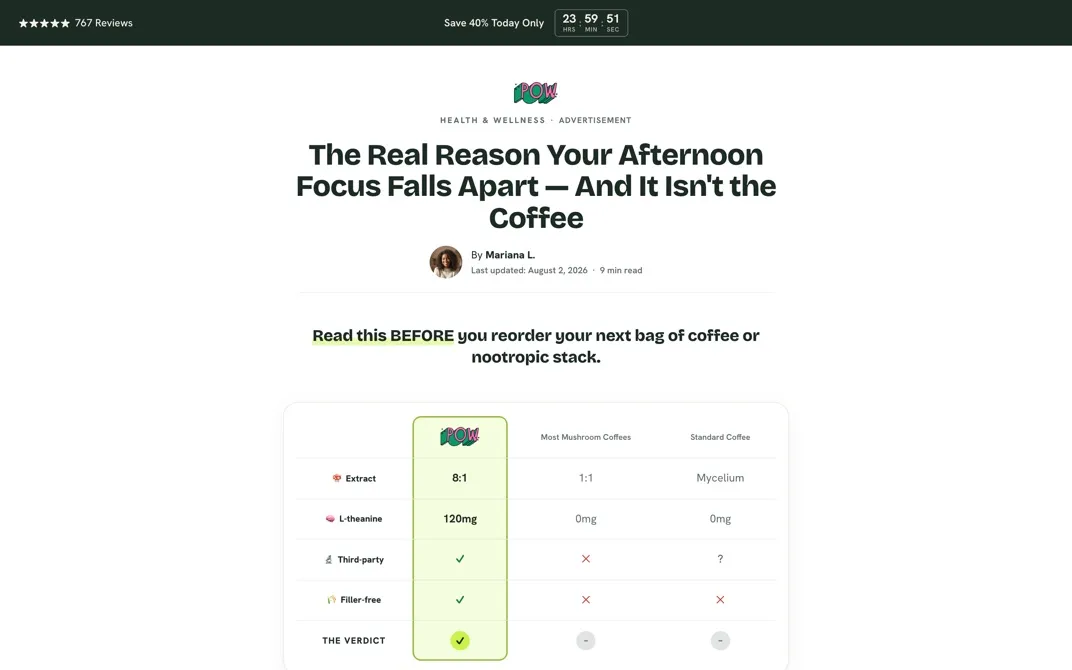
The Risk-Free template
People don't buy from a brand they don't trust yet. The Risk-Free template is built around that. It stacks the things that earn trust:
- A comparison table near the top, against the alternatives in your category.
- A gold-seal money-back guarantee panel, built from your real guarantee.
- A wall of customer testimonials.
- A deal card with a countdown, so there's a reason to act now.
- On advertorials, a "this is for you if…" checklist so the right buyer knows it's for them.
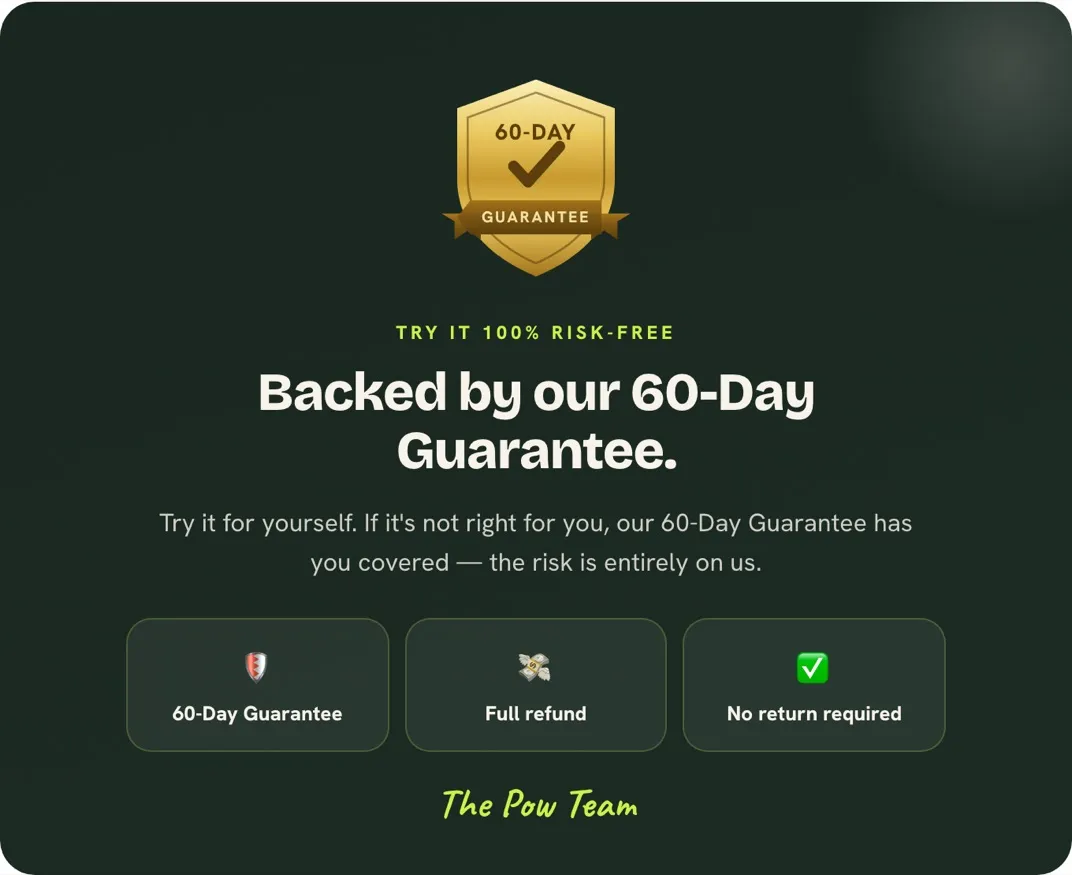
The guarantee panel only appears when Landra can read a real guarantee from your site. It never invents one. Risk-Free works for advertorials and listicles, and it's a Pro template that's included in the free trial.
The Ad creator
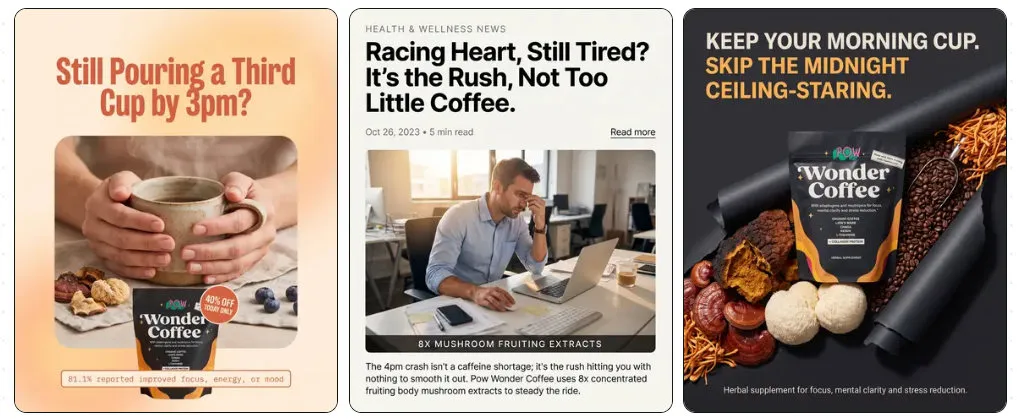
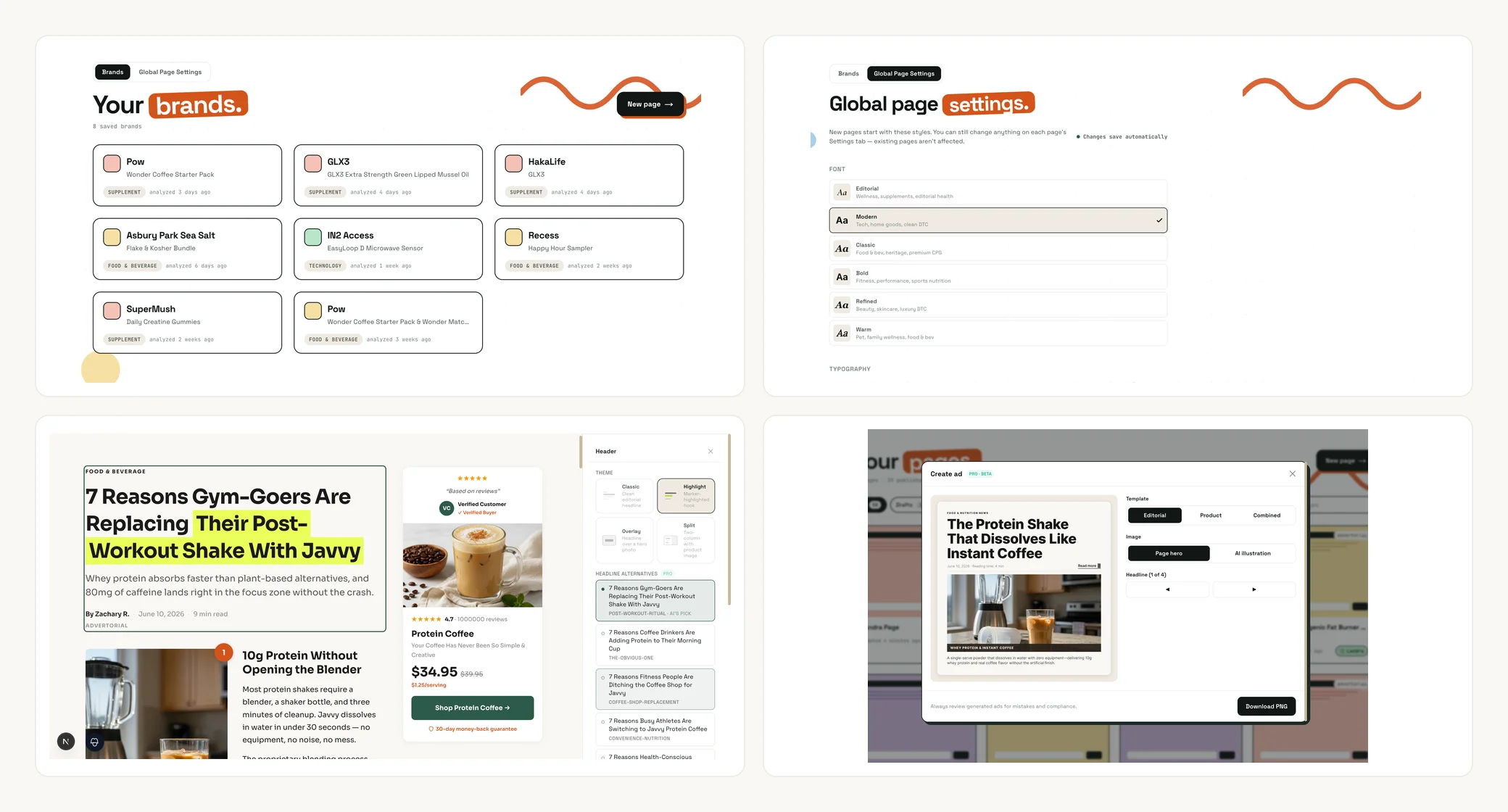
Ad creator (in beta) turns any page you've built into static ads. Open it from the sidebar, pick a page, choose how many versions you want (2, 4, 6 or 8) and generate. You get 4:5 ads at 2K resolution that you can revise, resize to a 9:16 story, and download. It replaces June's Create ad option in the page menu.
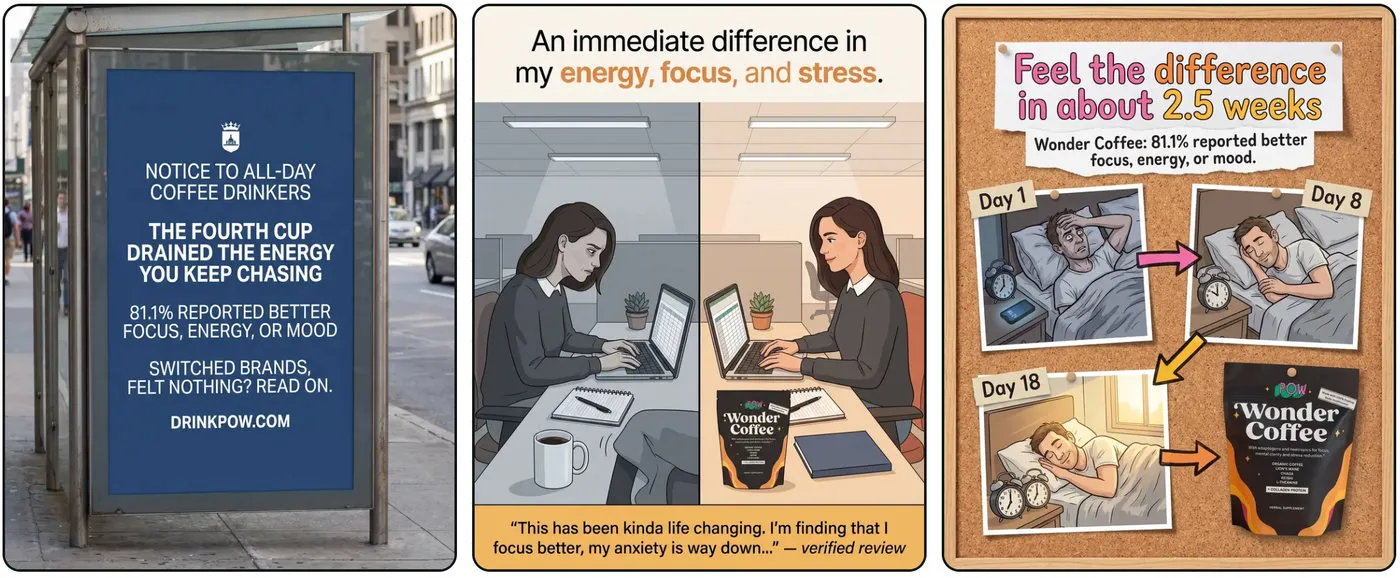
Ads use credits. Each ad costs 10 credits, and a revision or a story resize costs 8. Pro includes 50 credits a month, Pro+ includes 150, and paid plans can buy more. Creating ads works on desktop. On mobile you can view your ad library and download.
Brand documents and extra context
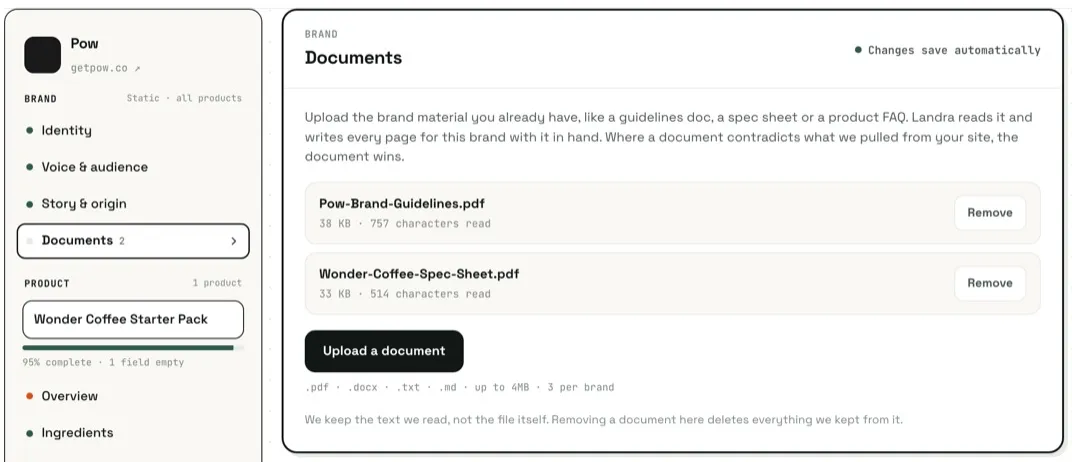
Your website isn't everything you know about your product. Now you can hand over the rest.
- Upload a document to a brand profile: guidelines, a spec sheet, a product FAQ. Every page you build for that brand uses it.
- Where a document disagrees with your site, the document wins.
- PDF, Word, .txt or Markdown, up to 4 MB each and 3 per brand. Landra keeps the text it reads, not the file. Brand documents are on Pro and Pro+.
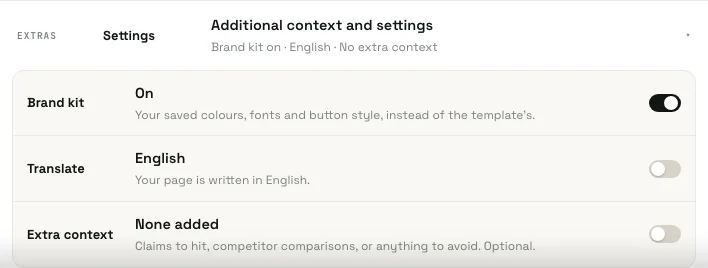
You can also add context for a single page. On the Build screen, open Additional context and settings and turn on Extra context. Type anything: a claim to hit, a competitor comparison, a word to avoid. It's free on every plan. Both documents and extra context shape what gets written, not how the page looks.
The Best-Of Roundup
The Best-Of Roundup is an editorial "The N Best…" comparison listicle. Landra researches real competitors on the web, and your product earns the Editor's Pick over an honest field, with a comparison table, scores, and pros and cons. It's built for shoppers who are already comparing options.
Pick Best-Of Roundup as the approach when you build a listicle. The live competitor research uses 10 to 15 credits depending on length. It's a Pro feature, included in the free trial.
Framer export
You can now put a Landra page into a Framer site. Go to Publish → Export HTML → Framer and paste the code into a new code file in Framer. Drag the component onto your page, set its width to Fill, and publish. Choose Updates automatically if you want the Framer page to pick up your Landra edits, or Fixed snapshot if you don't.
Page names, tags and filters
If you run a lot of pages, your page list got much easier to manage:
- Rename any page, from the page menu or the editor top bar.
- Tag pages with presets (Winner, Loser, Meta, Google, TikTok) or your own tags, up to 10 per page.
- Filter by type, status and tags.
- Select several pages and add or remove tags in bulk.
- Switch between Card view and List view.
Brand Kit
Global page settings now has a Brand Kit: three colours, two fonts and a button style. Turn on Use my brand kit on new pages and every new page starts with them.
Also shipped
- Embeds in Custom Code. GoHighLevel, Calendly, YouTube, Vimeo and Loom embeds now work in the Custom Code block.
- One mobile sticky button. The Mobile CTA bar, with its Delay until scroll option, now works on every layout.
- More colour controls. Promo strips have their own Promo Strip and Strip Text swatches, and accent colours now apply to stat rows, timelines and ingredient grids.
- Text controls. Soft line breaks and heading style controls in the editor.
What's next
The September release notes cover the Problem-Solution Listicle, Quick Builder, GoHighLevel popups and more. If you haven't built a page yet, paste your brand URL and let Landra build one.
Frequently asked questions
Why are these release notes dated August when they came out later?
We fell behind on release notes after June and wrote the July and August posts in October. Each post covers what shipped that month and describes it as it works today.
How do credits work in the Ad creator?
Each ad costs 10 credits, and a revision or a resize to a 9:16 story costs 8. Pro includes 50 credits a month and Pro+ includes 150. Paid plans can buy more. Trial users can spend up to 50 credits and download ads once their plan is active.
What files can I upload as brand documents?
PDF, Word (.docx), .txt or Markdown, up to 4 MB each and 3 per brand. Landra keeps the text it reads, not the file. Brand documents need a Pro or Pro+ plan. The Extra context box on the Build screen is free on every plan.
Does the Risk-Free template invent a guarantee if my brand does not have one?
No. The guarantee panel only appears when Landra can read a real guarantee from your site. If it cannot find one, the page is built without that panel.
Where did the Best-Of Roundup go in the builder?
It now appears as an approach when you build a listicle, next to Product-led and Problem-led, rather than as a template card. The competitor research it runs uses 10 to 15 credits, depending on length.