
These notes cover everything we shipped from late June through July 2026. We fell behind on release notes after the June post, so we wrote this one in October. Where a feature changed after it shipped, this post describes how it works today.
July was the biggest month we've had: three new templates, an image studio, a new way to edit pages, team accounts, a real Shopify app, and Landra inside Claude.
The Native / Direct response template
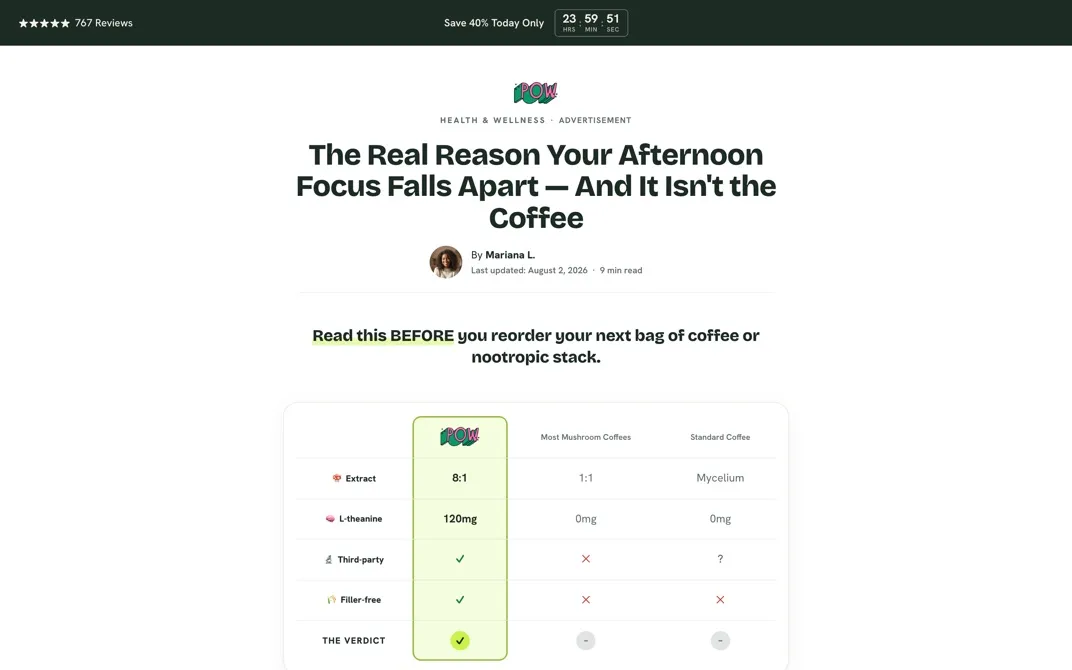
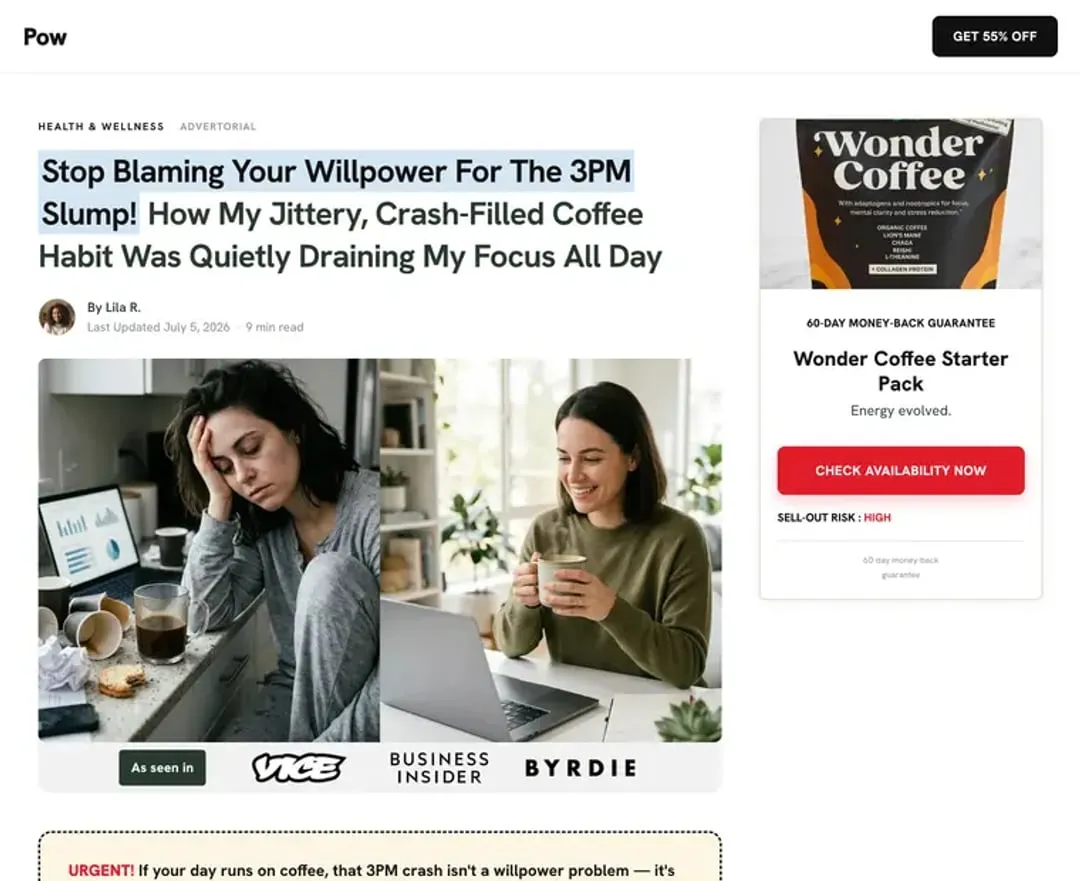
Direct Response is the classic news-style advertorial: an emotional first-person story, a highlighted headline, a press strip, and an offer rail that follows the reader down the page. It's built for traffic that needs convincing before it sees a product page.
Pick Native / Direct response on the Template step when you build an advertorial. It's a Pro template, and everyone can use it during the free trial.
Landra AI Image Studio

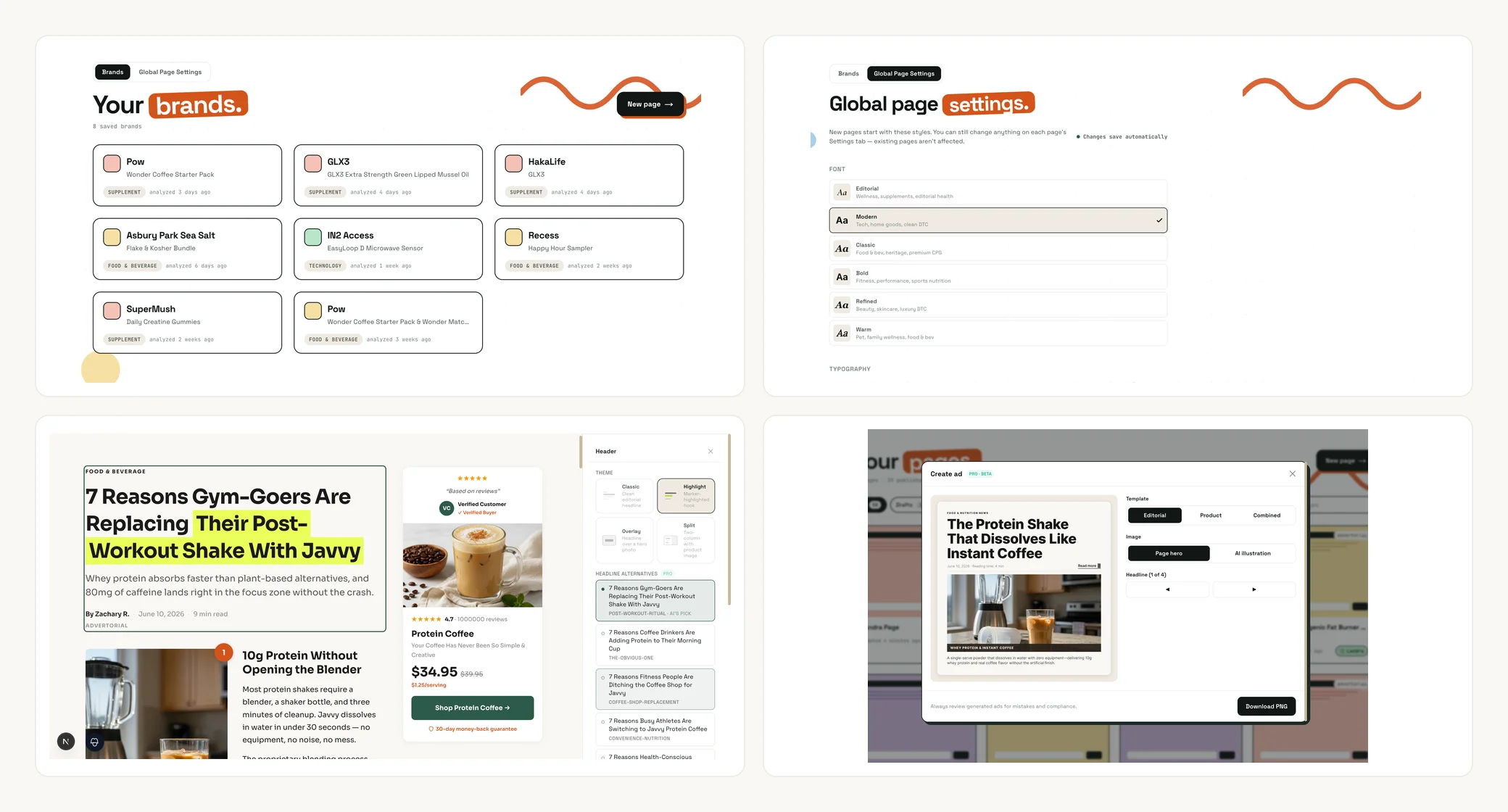
Every image on your page now has an Edit image button. Hover it on the canvas and the Landra AI Image Studio opens. You can:
- Edit the image by describing the change.
- Generate a new image in a style you pick.
- Upload your own photo, or reuse one from your photo library.
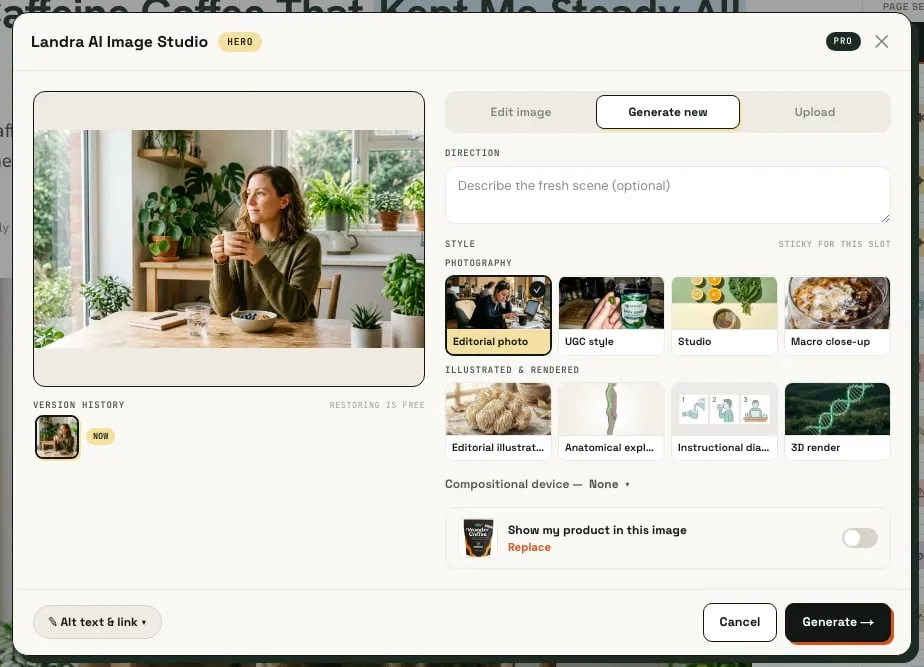
Every result lands as a candidate first. Compare it Before, After, or side by side, then hit Apply when it's right. Each image keeps a version history, so you can always go back.
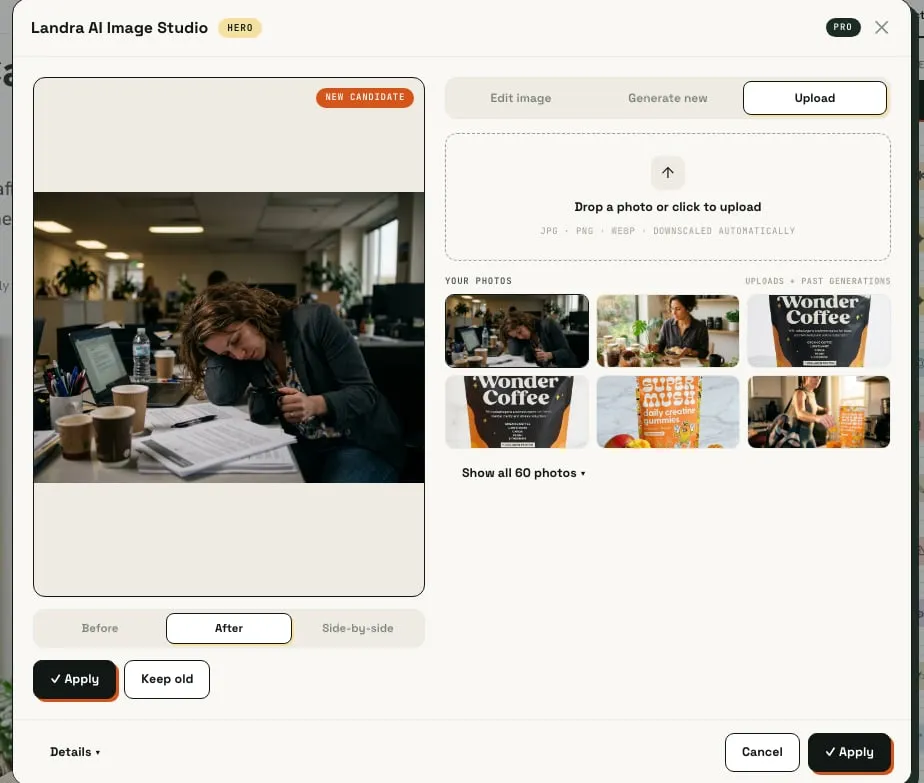
The image styles are split into two groups. Photography covers editorial photo, UGC style, studio and macro close-up. Illustrated and rendered covers editorial illustration, anatomical explainer, instructional diagram and 3D render. AI generation and editing are Pro, and included in the free trial.
Improve with Landra
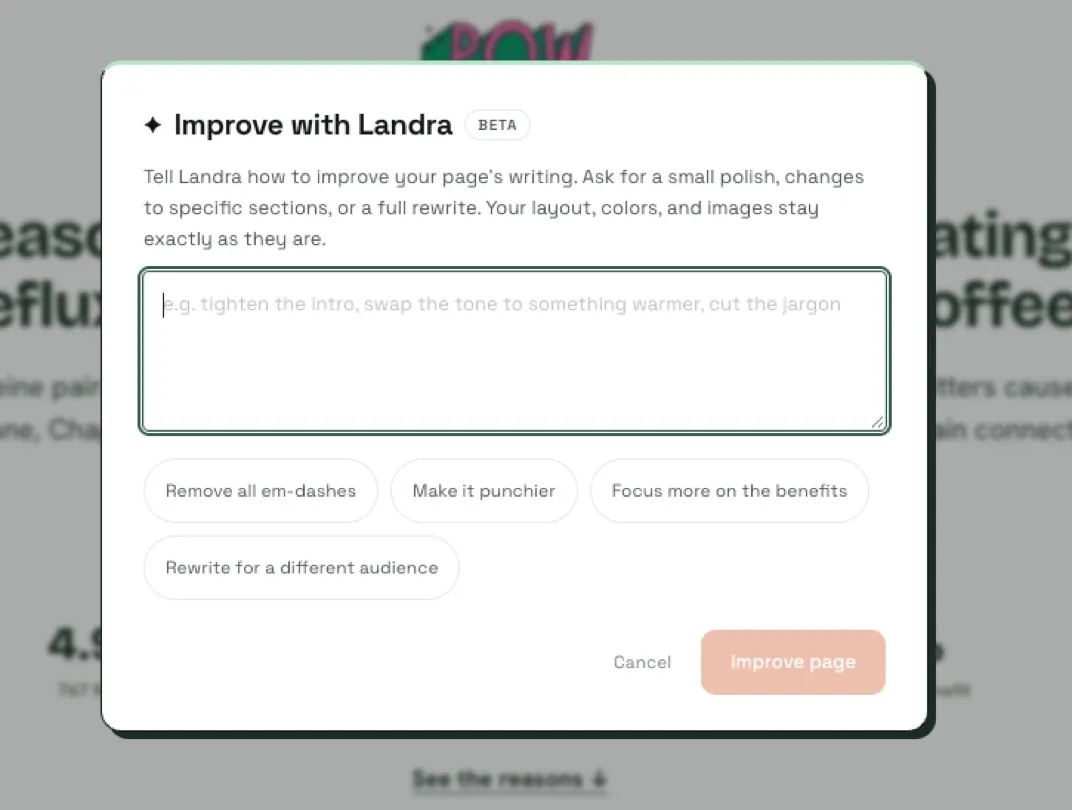
Improve replaced Rewrite in the editor. Click it and describe the change in a sentence, like "make the opening more urgent" or "cut the ingredient section in half". Choose Improve page for the whole page or Improve section for one section. Improve can also add a new section when you ask for one.
Only the writing changes. Your layout, colours and images stay as they are, and every change reverts in one click. Improve is a Pro feature, and everyone gets it during the free trial.
Two premium offer templates
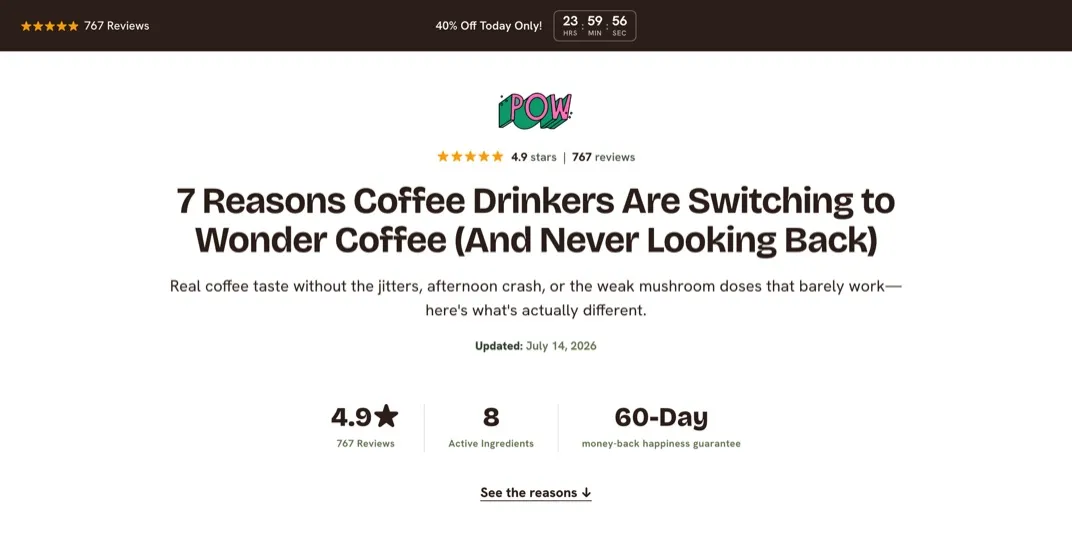
Premium offer (late June) is a more branded offer page. It opens with the offer, but stays editorial and weaves in more branded content and social proof. It works for advertorials and listicles.
Minimalist Premium Offer Listicle (July 13) is a branded listicle stripped to the essentials: social proof and product stats up top, numbered reasons, a payoff offer card, then testimonials and a closing button. It's built for warm and retargeting traffic.
Both open on their own colour theme, and you can switch themes from Settings. The options include Your brand, Brand, flipped, Mono, Espresso, Deep Ocean, Plum, Forest, Slate, Paper, Linen, Mist and Sage. Both templates are Pro and included in the free trial.
Team accounts
You can now build with your team in one shared workspace. Open Team in the sidebar, enter a teammate's email under Invite a teammate, and they get an invite link that's valid for 7 days.
- Owner: everything, plus billing and seats.
- Member: build, edit and publish pages, and edit the brand profile. No billing or team management.
Pro includes 3 seats and Pro+ includes 10. The owner counts as a seat, and so do pending invites.
One-click Shopify with the App Store app
Landra is now a Shopify App Store app, open to every user since July 21. Install it from apps.shopify.com/landra, or connect from Publish → Shopify in the editor. There are no API keys to copy. The old custom-app connection has since been retired, so this is now the only way to connect a store.
Each page also has a Let search engines index this page checkbox in the Shopify publish sheet, so you can keep test pages out of Google. Indexing is on by default. More on publishing presell pages to Shopify.
Landra in Claude
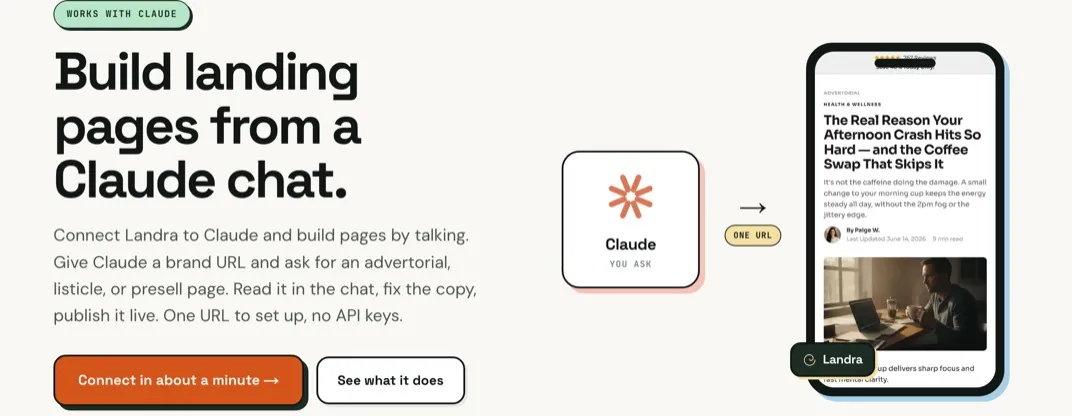
Landra now works inside Claude as a connector. Give Claude a brand URL, ask for an advertorial or a listicle, and it builds the page, shows it to you in the chat, and edits whatever you tell it to. It can also duplicate a page, add or remove sections, and revert changes.
To set it up, open + → Connectors → Add custom connector in a Claude chat. Name it Landra, paste https://www.getlandra.com/api/mcp and leave the rest empty. It works on Claude on the web and desktop with a paid Claude plan. Your live page never changes until you say publish. The full walkthrough is on the Claude landing page builder page.
Saved sections and custom fonts
- Saved sections. Save any section to your library from its ⋯ menu, then insert it on any page from Add Content → Saved. Free on every plan.
- Custom fonts. Pick your own heading and body fonts from about 60 Google Fonts families, per page, per section or per module. You can also upload your own font (.woff2 or .woff, up to 5 MB per file). Pro, and included in the free trial.
A new dashboard
The dashboard got a full redesign on July 25. There's a new sidebar with Dashboard, Your pages, Brand profiles, Templates and Team. Your page list moved to its own Your pages screen. And there's a Templates tab where you can browse every template, plus Make another like this to reuse a page's setup.
Also shipped
- Editor tour. New editors get a short tour on first open. Replay it any time from Help.
- Resizable edit panel. Collapse the side panel, or drag its edge to resize it.
- WordPress export. Publish → Export HTML → WordPress gives you a snippet to paste into the free WPCode plugin.
- Webflow export. Publish → Export HTML → Webflow gives you code to paste into a Webflow Embed element.
- Audience and emphasis. Before you build, tell Landra who the page is for and what it should lean on.
- Review platform connections. Connect Judge.me, Loox or Stamped from Integrations so Landra reads your reviews straight from the platform.
- Tracking code per page. Add your own tracking code to any page.
- Invoices. Download any invoice as a PDF from Plan & billing.
- Separate corner rounding. Card corners and button corners now have their own sliders, including full pill buttons.
- Spacing controls. Drag spacing handles on the canvas, and set spacing separately for desktop and mobile.
- Hex codes. Type a hex code into any colour control.
- Affiliate program. Refer a brand and earn 30% of what they pay for their first 12 months. Find it under Refer & earn.
What's next
The August release notes pick up from here, with the Risk-Free template, the Ad creator and brand documents. If you haven't built a page yet, paste your brand URL and let Landra build one.
Frequently asked questions
Why are these release notes dated July when they came out later?
We fell behind on release notes after June and wrote the July and August posts in October. Each post covers what shipped that month and describes it as it works today, so where something changed later we say so.
Which of these features need Pro?
The Direct Response, Premium offer and Minimalist Premium Offer Listicle templates, Improve with Landra, AI image generation in the Image Studio, and custom fonts are Pro features, and everyone gets them during the free trial. Team seats need a Pro or Pro+ plan. Saved sections and Shopify publishing work on every plan.
How do I connect Landra to Claude?
In a Claude chat, open + then Connectors then Add custom connector. Name it Landra and paste https://www.getlandra.com/api/mcp. It works on Claude on the web and desktop and needs a paid Claude plan. Nothing you build in Claude goes live until you tell it to publish.
Do I still need a Shopify API key to publish?
No. Install the Landra app from the Shopify App Store, or connect from Publish then Shopify in the editor. The older custom-app connection with API keys has since been retired, so the App Store app is now the only way to connect.
How many teammates can I invite?
Pro includes 3 seats and Pro+ includes 10. The owner counts as a seat, and pending invites count too. Members can build, edit and publish pages and edit the brand profile. Only the owner manages billing and seats.